
Thanks to this diagnostics utility, you can download and install the latest firmware for smartphones. It is compatible with a wide range of chipset models.

UMT Support Access
ver. 2.0
6,1 Mb (downloads: 6458)
Update date:
03.08.2022
Developer:
UMT team
Windows version:
Windows XP, Windows Vista, Windows 7, Windows 8, Windows 10, Windows 11
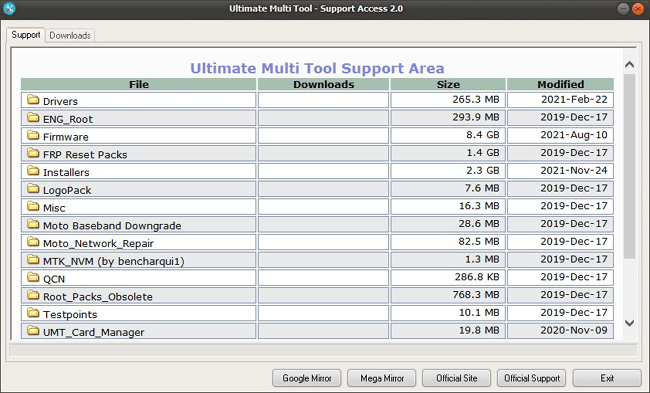
UMT Support Access is a Windows program designed to help you repair Android mobile devices and perform various other tasks. It is compatible with various popular chipsets like MediaTek, Qualcomm Snapdragon and Spreadtrum. This is a useful tool for when you encounter critical issues like a bricked phone.
Goal
After using an Android smartphone for some time, you may experience various problems with baseband or IMEI. To fix these issues, you need to flash the mobile device using a special utility and the newest firmware. With this application, you have the ability to both download and install the update files.
Setup
Please note, before launching the software, it is necessary to install the smart card drivers and insert a UMT dongle. You are also recommended to backup your photos, contact and documents. Because during the stock firmware installation, the tool automatically erases all data.
Advanced use
If you forgot your login information, you can unlock access to your device with this program. It is capable of bypassing password, PIN and pattern locks. In addition, you have the ability to avoid triggering Factory Reset Protection. Similar to SuperOneClick, it is also possible to restore or remove root access.
Features
- free to download and use;
- compatible with modern Windows versions;
- gives you the ability to repair Android mobile devices;
- supports a wide range of chipset models;
- you can access password-protected smartphones.
6,1 Mb (downloads: 6458)
Comments


i needing umt supports