
This program helps you plan hiking and biking trips and upload waypoint data to a wide variety of GPS navigation devices from all major manufacturers.

ExpertGPS
ver. 8.30
13,4 Mb (downloads: 202)
Update date:
11.12.2022
Developer:
TopoGrafix
Windows version:
Windows 7, Windows 8, Windows 8.1, Windows 10, Windows 11
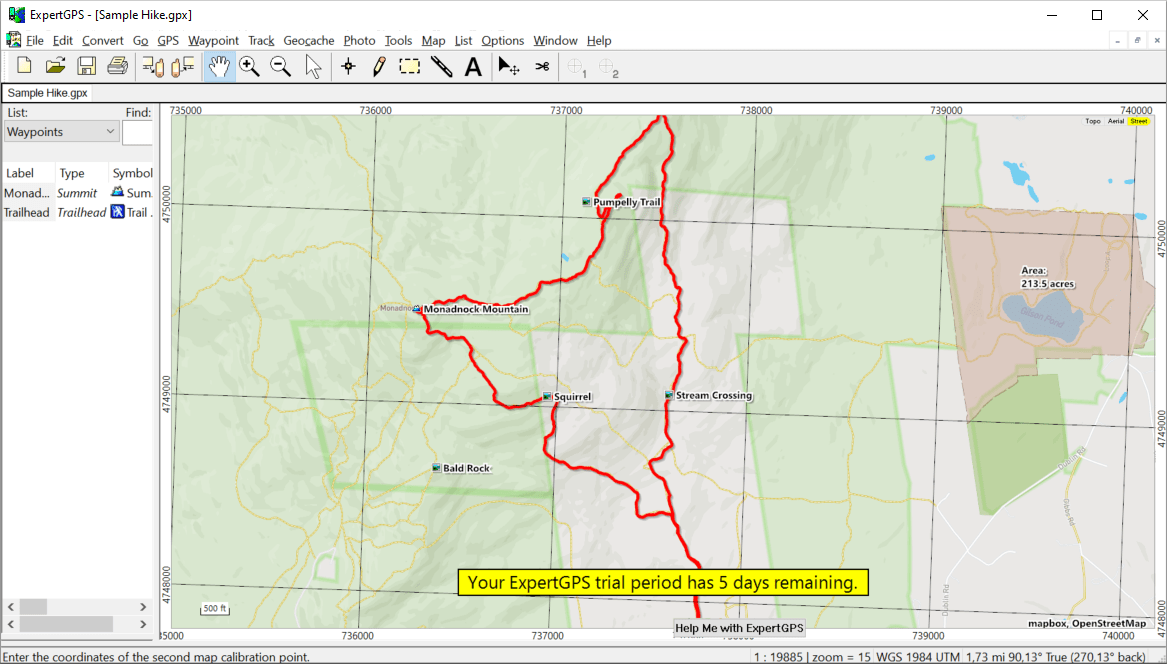
ExpertGPS is a Windows utility for working with digital maps. Similar to Mobile Atlas Creator, all geographical information is acquired from the popular OpenStreetMap online service. Users can zoom in and out for easier navigation.
Device connection
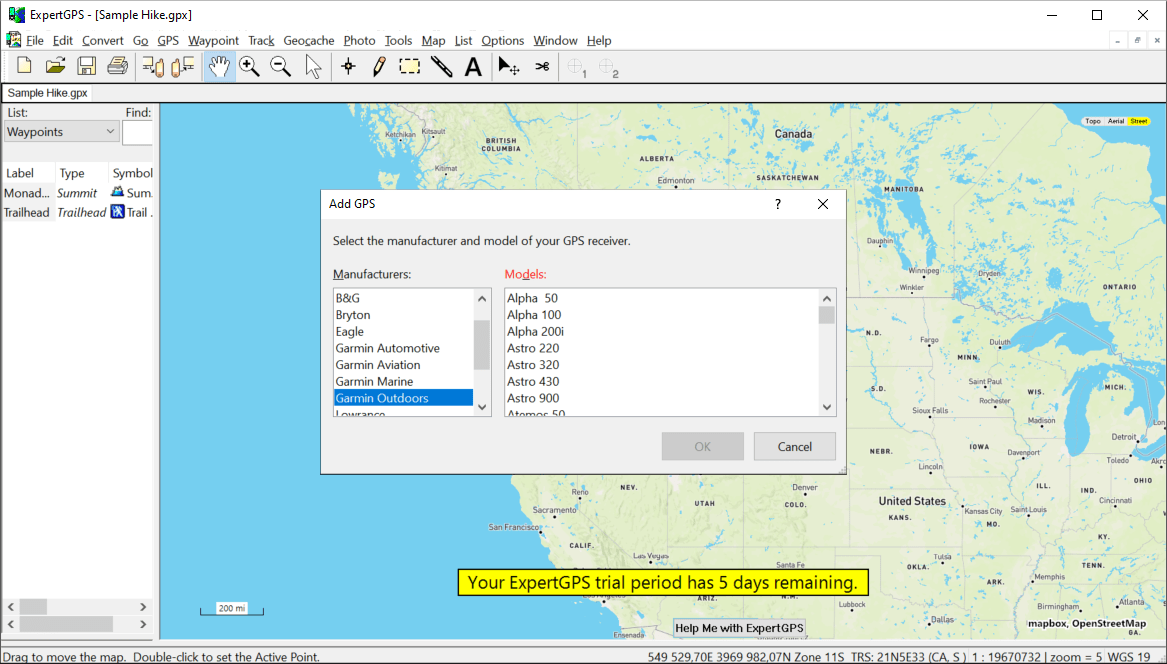
After starting the software you are prompted to select the GPS navigator from the list of supported hardware. There is a list of popular manufacturers such as Garmin, Eagle, Bryton, Magellan and Simrad. Additionally, it is possible to exchange map data with multiple Android and iOS devices. You can transfer information via USB cable or serial port.
Coordinate conversion
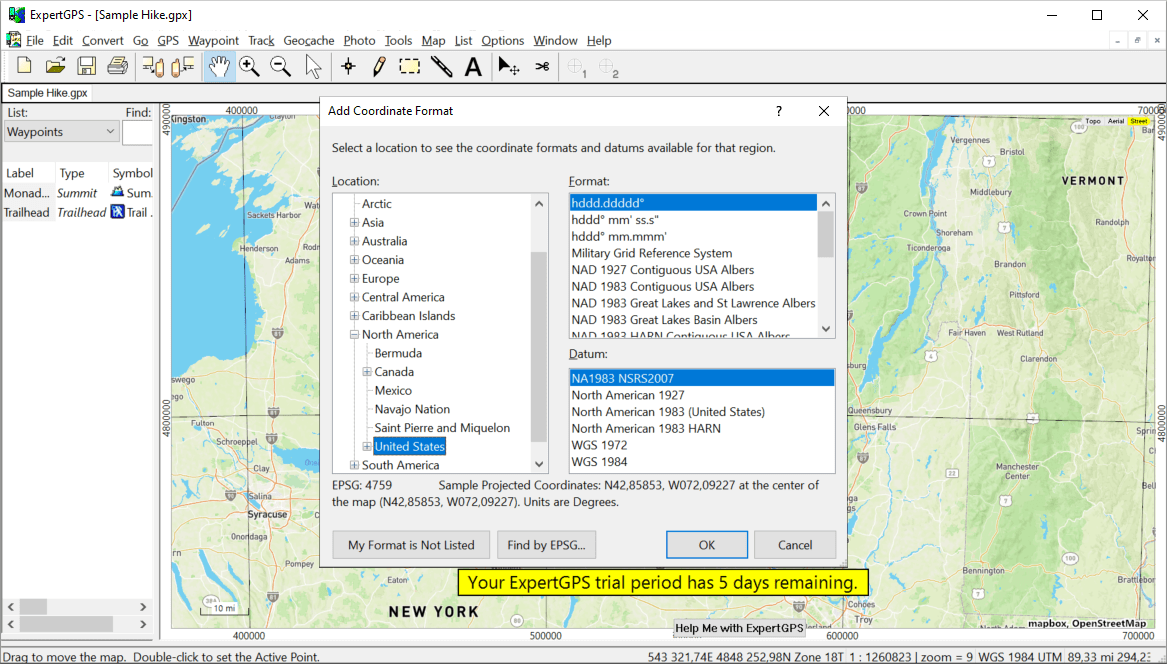
Users are able to transform standard latitude and longitude values to the various formats such as:
- US State Plane Coordinates;
- Military Grid Reference System;
- Universal Transverse Mercator;
- US and many other national grids.
It is easy to export converted data to another mapping, CAD or GIS app.
Calculation tools
This program lets you specify any region on the map and figure out its area. Moreover, there is an option to import GPS waypoints and calculate the length of the resulting route. You can add labels with area values to objects on the map.
Please note that ExpertGPS is a paid utility. The free 5-day trial version is available for evaluation.
Features
- contains instruments for editing digital maps;
- free to download and use;
- you can convert geographical coordinates to various formats;
- it is possible to calculate area of any custom region on the map;
- compatible with modern versions of Windows.
13,4 Mb (downloads: 202)


