
With this easy-to-use utility, you are able to view and organize SQL scripts for Oracle databases. Additionally, it includes a text editor and a console.

SQL Tools
ver. 2.0
4,6 Mb (downloads: 10)
Update date:
27.07.2022
Developer:
Aleksey Kochetov
Windows version:
Windows XP, Windows Vista, Windows 7, Windows 8, Windows 8.1, Windows 10
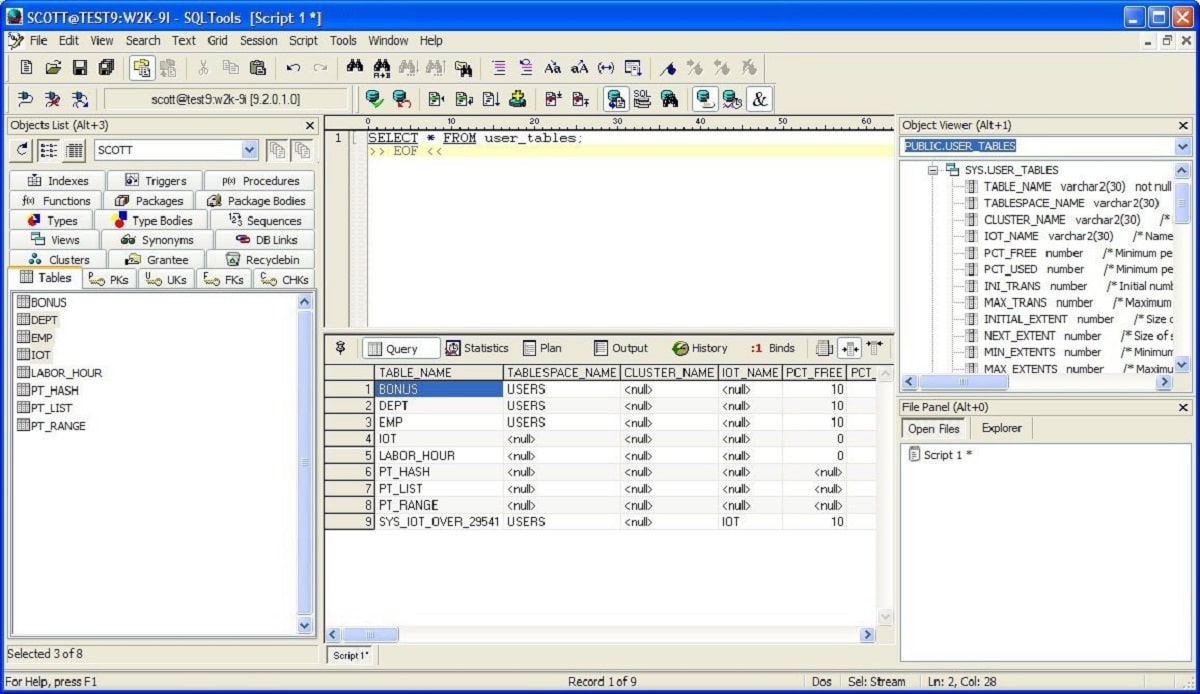
SQL Tools is a robust Windows program designed for users who need to manage tables and SQL scripts. Thanks to its portability, it can be copied to a USB drive and launched on any computer.
General notes
Working with Oracle databases can become tedious if you need to view and organize all the SQL scripts. Here is where this utility comes in. SQL Tools is a simple and reliable solution for when you need to quickly access, reorder and edit SQL entries.
In addition, it provides you with an intuitive text editor, a useful console and other few instruments that enhance your database experience. However, you need to make sure that you have all the components installed on your PC, otherwise the software will not start and display an error message.
Query management
The program comes with an easy-to-use interface that displays all the information you need to view about each table. Thus, the left panel shows all the tables alongside their indexes, triggers and procedures, as well as sequences and functions. After selecting a specific table you have the option to view the contained fields and create SQL queries.
Advantages
Although it is not as comprehensive as other utilities of its kind, SQLTools is a convenient solution when you need basic data querying and object browsing functionality. It also comes with support for a subset of SQL Plus commands such as connect or disconnect from the database and define variables. This means, if you are an experienced user, you are able to utilize the command prompt.
Features
- free to download and use;
- compatible with modern Windows versions;
- gives you the ability to manage tables and SQL scripts;
- it is possible to view detailed information about each entry;
- requires an Oracle Database to work properly.
4,6 Mb (downloads: 10)


