
PakViewer

PakViewer

0/5
ver. 1.0
0,6 Mb (downloads: 126)

This straightforward software enables users to open and extract PAK archives. Additionally, it is possible to create new items and associate file extension.

Download
Update date:
31.07.2022
Developer:
Voxelsoft
Windows version:
Windows XP, Windows Vista, Windows 7, Windows 8, Windows 8.1, Windows 10, Windows 11
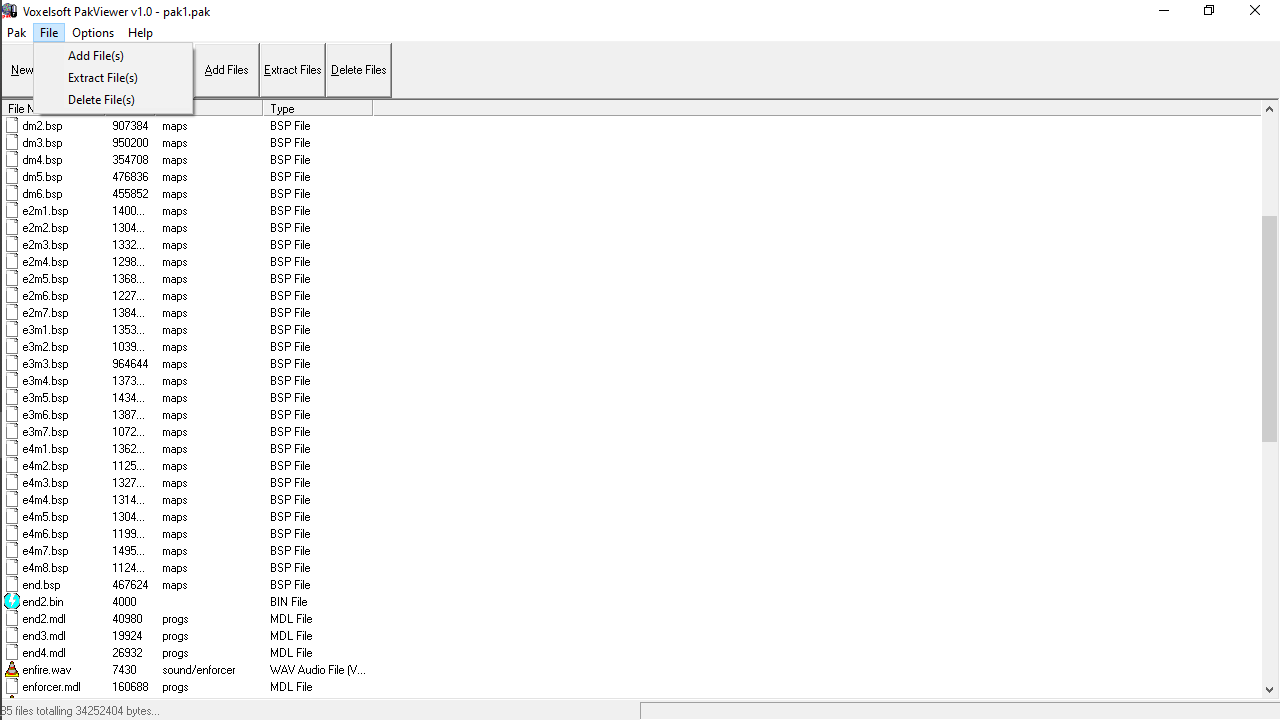
PakViewer is a lightweight and portable Windows program that can be used to view and edit video game PAK file archives. It comes with a limited set of features, accessible to both novices and experts.

Portable tool

Since installation is not a prerequisite, all you need to do is drop the executable file anywhere on the hard disk and click on it to launch the application. Alternatively, you can transfer the tool to a USB flash drive or similar storage unit to run on any computer. What is more, it does not leave any traces in the Windows registry, so there are no leftover files after the program removal.

Interface and functionality

The graphical user interface is based on a standard window with a simple layout. Similar to jZip, here you are able to import items via either the file browser or drag-and-drop method. It is possible to add and extract items from archives, as well as associate PakViewer with the PAK format. To create a new PAK item it is necessary to specify an output directory and file name.

Performance

The software is very light on the system resources, using a minimal amount of processing power and computer memory. It has a good response time and works smoothly on PCs with Windows operating systems. Thanks to its overall simplicity, this is a convenient tool for most types of users.

Features

  • free to download and use;
  • compatible with modern Windows versions;
  • gives you the ability to view and extract PAK archives;
  • it is possible to create new items;
  • simple and straightforward functionality.
Download
0,6 Mb (downloads: 126)
Add comment
0/5
Similar programs
PeaZip PeaZip
Windows XP Free
3/5

This utility is intended for working with compressed packages. There are instruments for extracting, encrypting, splitting, joining and repairing archives.

ver 9.4.0
ZArchiver ZArchiver
Windows 10 Paid utility
0/5

With the help of this file management application users can create and extract compressed files in various formats, including ZIP, RAR, TAR, GZIP and ISO.

ver 1.0.8
Zlib Zlib
Windows XP, Windows Vista, Windows 7, Windows 8, Windows 8.1, Windows 10, Windows 11 Free
0/5

This free and open-source software library is intended for lossless data compression. It is widely used in many popular file formats like PNG, ZIP and PDF.

ver 1.2.13
Master Commander Master Commander
Windows XP, Windows Vista, Windows 7, Windows 8, Windows 10, Windows 11 Free
0/5

Thanks to this comprehensive tool, you have the ability to manage your hard drive contents. Moreover, you can create ISO images, unpack archives, and more.

ver 1.1
KGB Archiver KGB Archiver
Windows XP, Windows Vista, Windows 7 Free
0/5

This utility lets you pack photos, video clips and other files into compressed archives. Tools for extracting previously created packages are available as well.

ver 2.0.0.2
WinZix WinZix
Windows XP, Windows Vista, Windows 7, Windows 8, Windows 8.1, Windows 10, Windows 11 Free
3/5

This obsolete application allows you to compress documents, photos, video clips and other files into archives. This functionality is useful for saving disk space.

ver 2.3
Winrar Unlock Winrar Unlock
Windows XP, Windows Vista, Windows 7, Windows 8, Windows 8.1, Windows 10, Windows 11 Free
5/5

This free utility allows users to remove the “read-only” attribute from RAR archives and self-extracting EXE packages. The interface is simple and straightforward.

ver 1.1
7 Zip 7 Zip
Windows XP, Windows Vista, Windows 7, Windows 8, Windows 10, Windows 11 Free
4/5

Using this intuitive application, you can make archives with local files and folders. Additionally, you have the option to configure encryption settings.

ver 22.01