
Using this utility, you can connect to the Internet through various Option connectivity products. Moreover, they have the option to view the current network status.

GlobeTrotter Connect
ver. 3.1
5,9 Mb (downloads: 27)
Update date:
03.11.2022
Developer:
Option
Windows version:
Windows XP, Windows Vista, Windows 7, Windows 8, Windows 10, Windows 11
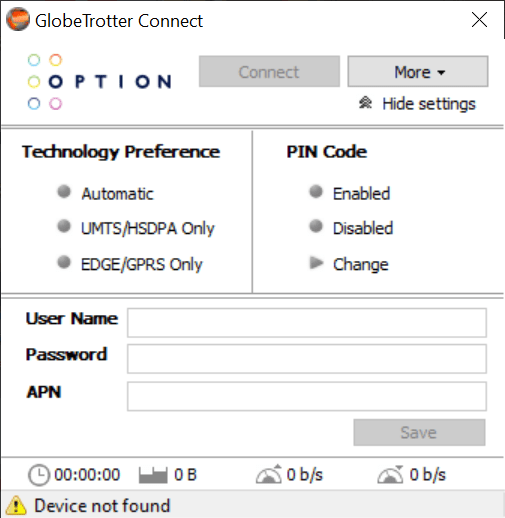
GlobeTrotter Connect is a proprietary program for Windows developed to help Option GlobeTrotter owners to establish connection to the Internet via supported hardware such as the HSDPA USB modem or the GlobeSurfer iCON.
General notes
This is a specialized software for giving computers, mobile phones and tablets access to the Web. In addition, it features an Auto-Connect feature that automatically reset the connection in case it is disrupted or lost, an SMS Manager and support for multiple languages. Please note, the application was designed to be used only with Option mobile connectivity products.
Functionality
This intuitive utility simplifies the management of Windows-based broadband Internet access by automatically configuring the connection to the service provider. Thanks to the simple graphical user interface, you can view the network and status, as well as configure various settings to suit your preferences.
What is more, you have the ability to select 2G or 3G technology. If you want to create a personal wireless hotspot, you may use a variety of other programs such as My WiFi Router, WiFi HotSpot Creator or WiFi Sharing Manager.
Features
- free to download and use;
- compatible with modern Windows versions;
- allows you to connect to the Internet via Option GlobeTrotter devices;
- support both 2G and 3G wireless mobile communications technology;
- gives you the ability to view the network and connection status.
5,9 Mb (downloads: 27)


