
clumsy

clumsy

5/5
ver. 0.2
0,3 Mb (downloads: 3643)

This specialized network utility allows you to intercept and modify traffic packets. It utilizes the WinDivert system library for performing all operations.

Download
Update date:
29.10.2022
Developer:
MIT
Windows version:
Windows 7, Windows 8, Windows 8.1, Windows 10
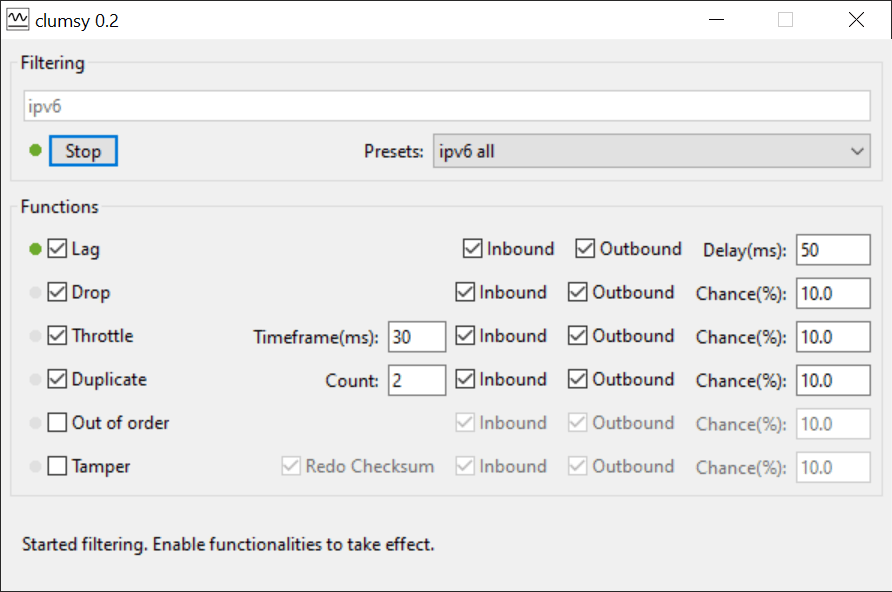
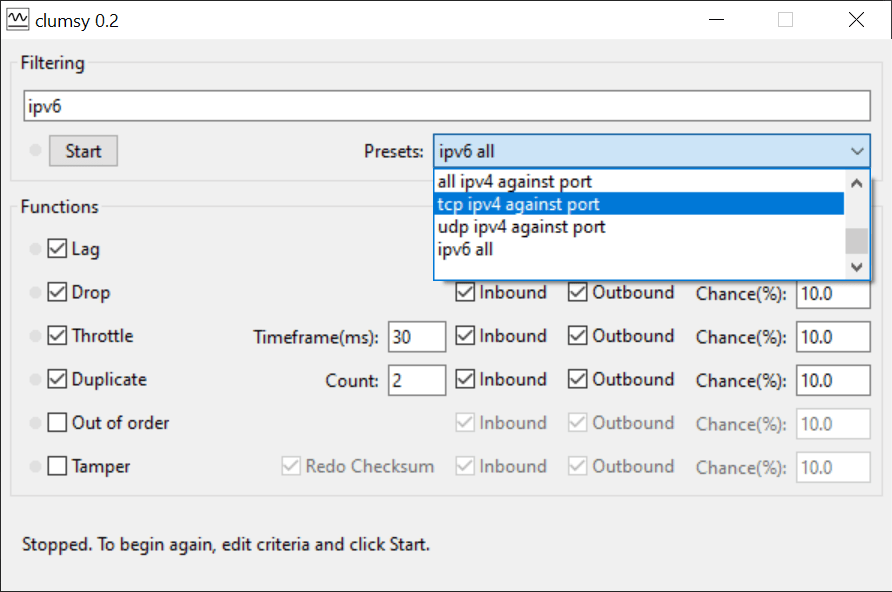
clumsy is a Windows app for capturing inbound and outgoing network traffic. There are options to drop, throttle, duplicate and reorder the packets. Moreover, users can tamper with data by shifting specific bytes.

Main capabilities

This tool does not require installation. After extracting the archive contents you can run the included executable file.

It is possible to intercept network packets generated by any application. There is support for HTTP and TCP/IP-based protocols. Like in Wireshark, users are able to analyze all external and local connections.

Options for displaying only incoming or outgoing traffic are provided. Additionally, there are instruments for filtering the packets by network protocol. You can begin the monitoring process by pressing the Start button.

Included operations

Users are able to perform various actions with intercepted traffic. For example, a lag can be added to the packet to slow it down. The delay is manually adjustable. Alternatively, there is an option to drop the packet completely with predefined probability.

There are advanced functions like duplicating traffic sections and rearranging their order. You are able to tamper with data by changing the packet structure.

Features

  • contains network tools for analyzing incoming and outgoing traffic;
  • it is possible to filter the packets by destination and protocol;
  • compatible with modern versions of Windows;
  • free to download and use;
  • you can throttle or drop the packets.
Download
0,3 Mb (downloads: 3643)
Comments
Add comment
5/5
Similar programs
Intrusion Detection System Sax2 Intrusion Detection System Sax2
Windows XP Free
0/5

This utility provides a solution for detecting network intrusions and preventing external attacks. There are tools for real time packet capture and analysis.

ver 4.8
Sphider plus Sphider plus
Windows XP Free
0/5

The comprehensive utility gives you the means to integrate a search bar into your Internet site. You can also adjust indexing settings and results display.

ver 1.3.4
eMule Applejuice eMule Applejuice
Windows XP Free
0/5

The application was designed to help users download different types of content from the eDonkey network. There is also support for adding custom server lists.

ver 3.2
Drobo Drobo
Windows XP Free
0/5

Thanks to this software solution, users can configure Drobo products. Additionally, it is possible to view information about hardware characteristics.

ver 3.5.0
EdgeLink EdgeLink
Windows 7 Free
0/5

The tool was developed to assist users in gathering and manipulating information from IoT hardware. It is also possible to generate visualizations and reports.

ver 2.8.3
IIS Crypto IIS Crypto
Windows Server 2008 Free
0/5

With the help of this software administrators can easily enable or disable various protocols, ciphers, hashes and key exchange algorithms in Windows Server.

ver 3.3
Cisco Configuration Assistant Cisco Configuration Assistant
Windows XP Free
0/5

With the help of this comprehensive utility, users can improve the operation of SBCS products. Additionally, it is possible to set up VPN servers and clients.

ver 3.2
Synology Drive Client Synology Drive Client
Windows 7 Free
0/5

The reliable tool enables users to synchronize data on several machines with cloud storage. It is also possible to manage and schedule automatic tasks.

ver 3.2