
This application enables users to play videos in a wide range of formats. Additionally, they have the option to configure various encoding and compression settings.

Xvid Codec
ver. 1.3.7
11,3 Mb (downloads: 1193)
Update date:
08.06.2022
Developer:
XviD.org
Windows version:
Windows XP, Windows Vista, Windows 7, Windows 8, Windows 10
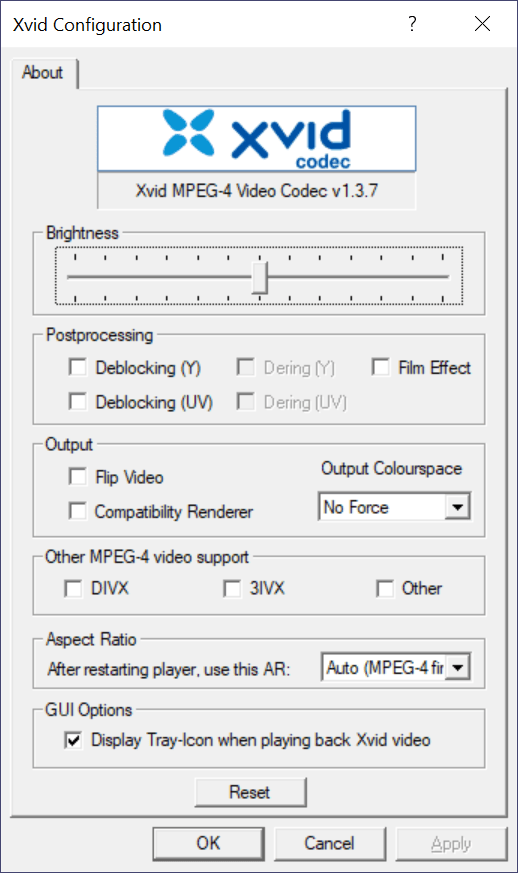
Xvid Codec is a Windows program that allows you to play media files in various formats like DIVX, 3VIX and MPEG-4. It was developed as part of the Xvid project which is focused mainly on compressing videos in order to reduce the required bandwidth in transmission over networks.
Purpose
This utility does not include a player. It facilitates the playback of videos in various formats in other media applications such as Winamp. It is necessary to note that Xvid is not a video format, but a codec that helps to compress and decompress digital data streams. The purpose of encoding video data is to reduce redundancies, that means to make it smaller for faster transmission over computer networks or more efficient storage on computer disks..
Advanced tools
The dedicated Encoder and Decoder configuration tools give users the ability to adjust advanced settings like the encoding type, post-processing, compression and aspect ratio. You also can use the dedicated Restore Defaults button to undo any adjustments you have made.
Pros
If you have encountered a video that you cannot play, this program may help you watch it, thanks to its support for a wide range of formats. Additionally, this software comes with the MiniConvert feature that allows you to compress various media files.
Features
- free to download and use;
- allows you to play videos in various formats;
- can adjust encoding options;
- compatible with modern Windows versions;
- it is possible to compress media files.
11,3 Mb (downloads: 1193)
Comments


U k
45678