
This application allows users to access information about the hard drive such as the current temperature, amount of bad sectors and other technical details.

Victoria
ver. 5.37
1,5 Mb (downloads: 896)
Update date:
01.12.2022
Developer:
Sergei Kazanskij
Windows version:
Windows XP, Windows Vista, Windows 7, Windows 8, Windows 8.1, Windows 10, Windows 11
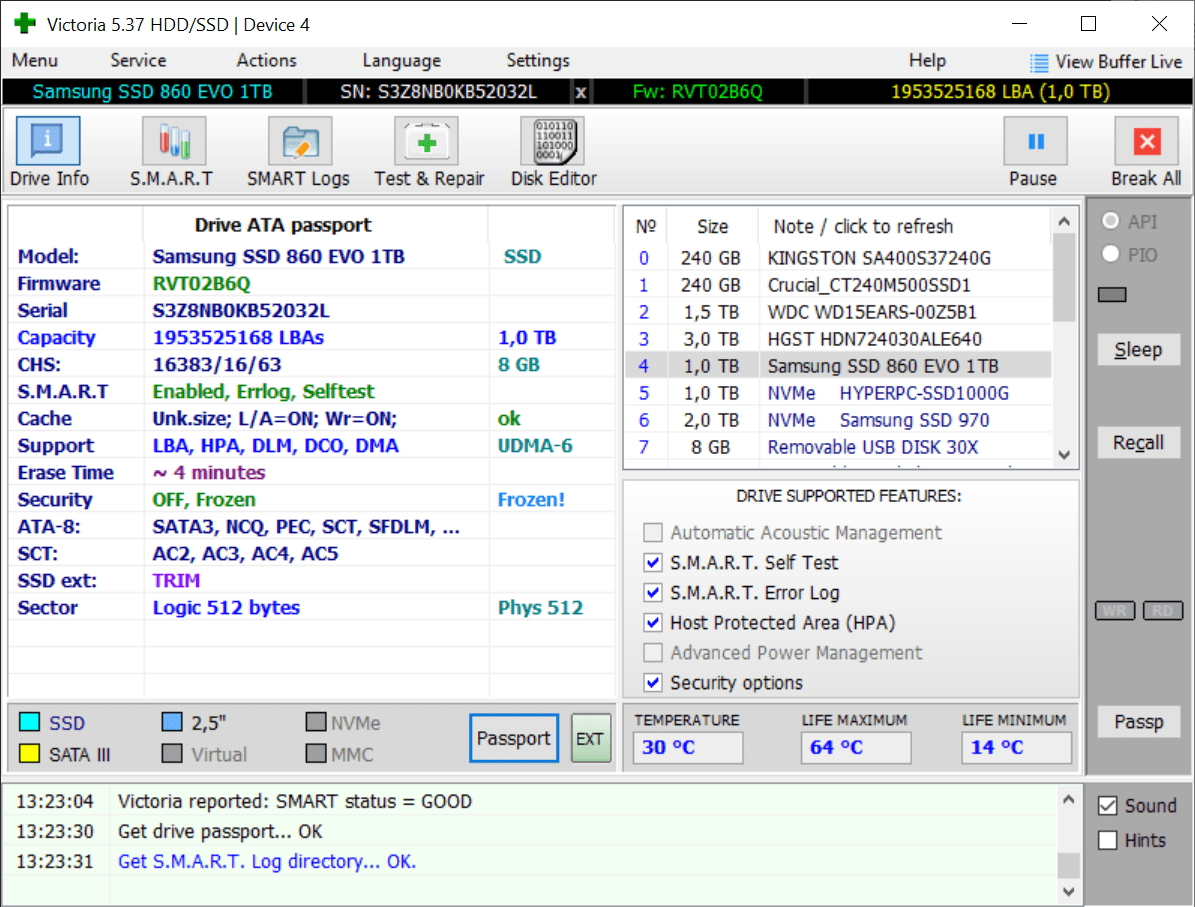
Victoria is a Windows program for evaluating the condition of storage devices. You can perform a full HDD scan to locate and correct reading errors. It is possible to display advanced hard drive S.M.A.R.T. attributes. There is support for legacy IDE and SATA devices as well as for modern SSDs.
Diagnostic tools
This software automatically detects all connected storage devices on startup. Users are able to select the required drive from the list in the main window to access its technical properties. Information about the model, installed firmware, serial number, capacity and other details are available.
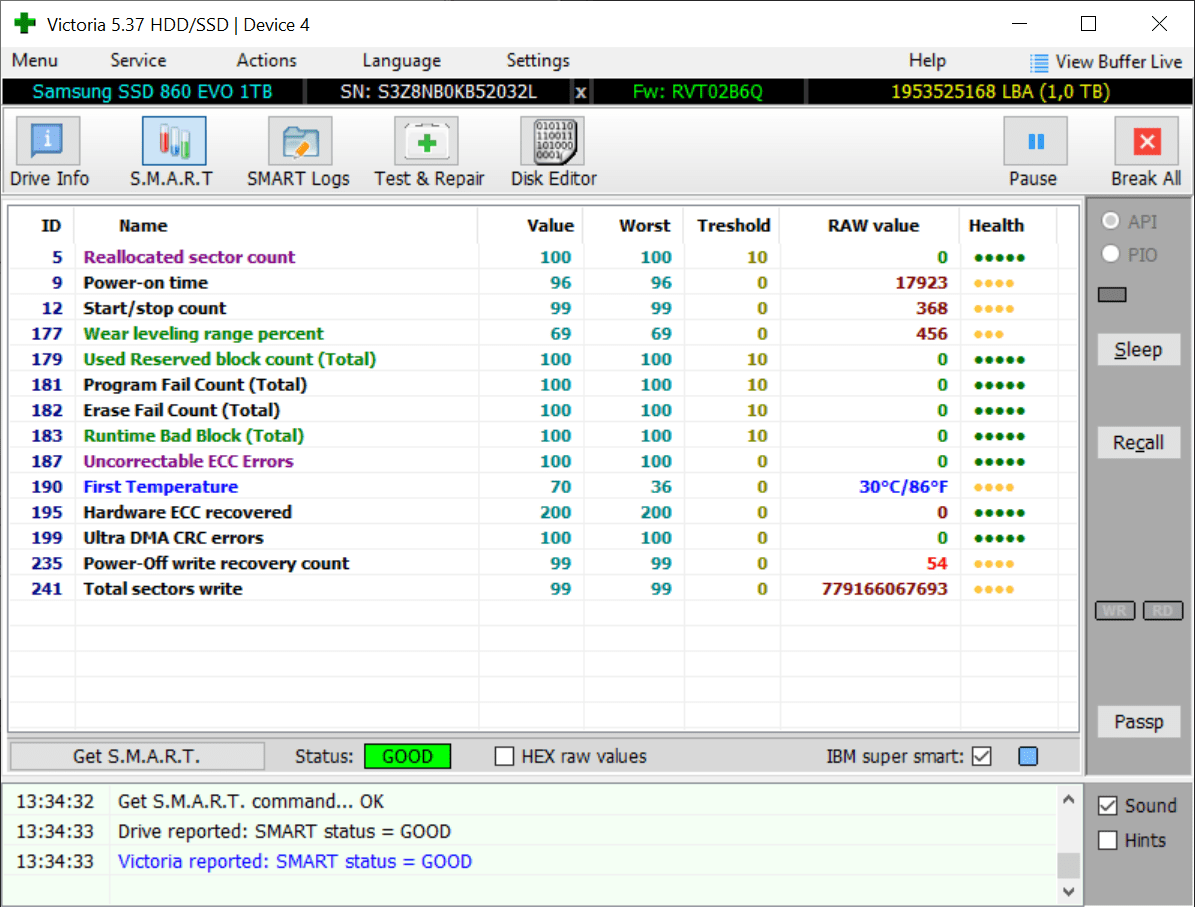
The S.M.A.R.T. tab contains data for evaluating overall HDD health. You can view the number of power cycles, reallocated sectors and uncorrectable ECC errors. Moreover, the overall power-on time and maximum recorded temperature are included in the list. It is possible to refresh the information by clicking the corresponding button.
Drive repair
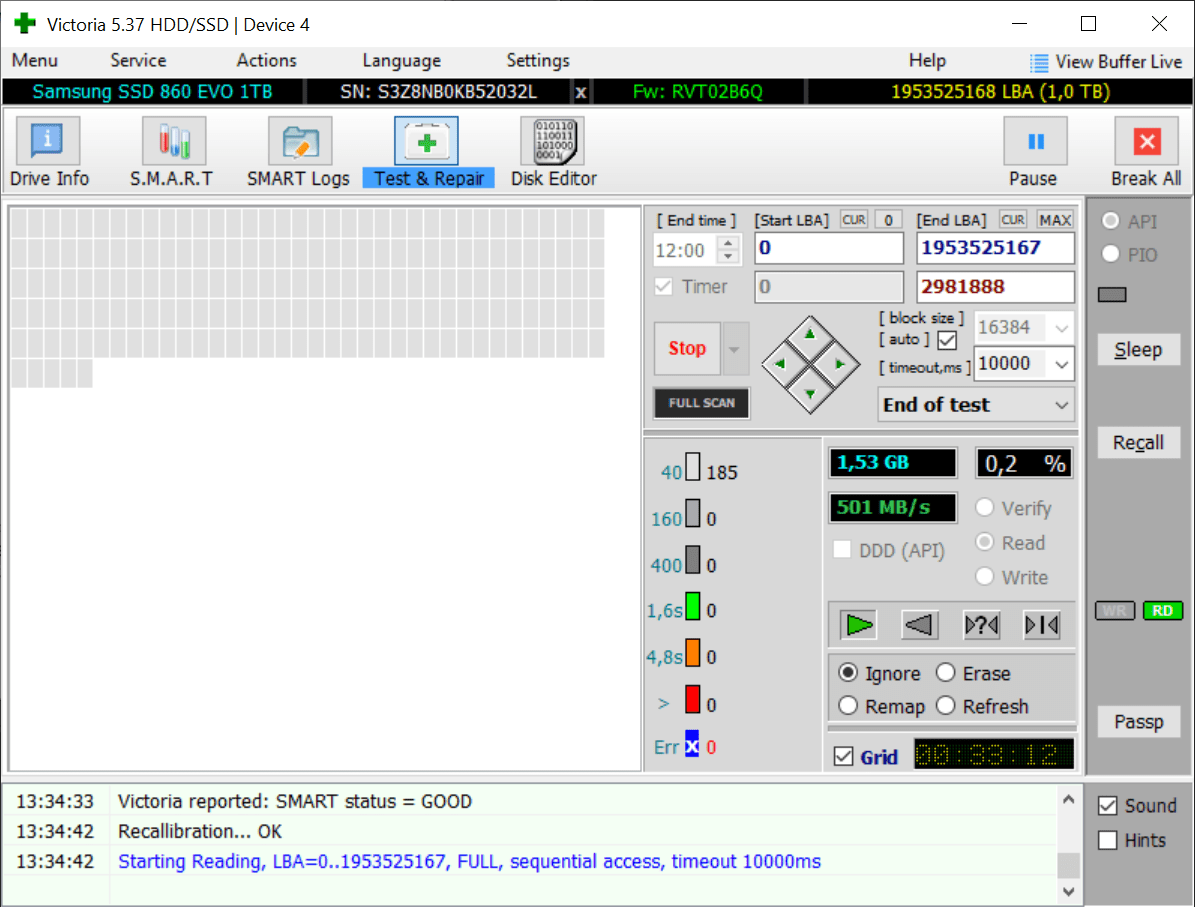
Users can perform a storage device surface test. The maximum writing and reading speeds are measured in the process. Moreover, all corrupted or damaged sectors are located. After the scan is finished users are able to create a report and save it to a text file.
Like in HDD Bad Sectors Repair, there is an option to automatically fix errors detected during the testing. You can try to recover data from corrupted sections of the hard drive.
Features
- free to download and use;
- allows you to test hard drives and find bad sectors;
- it is possible to automatically fix detected errors;
- there are tools for securely erasing data from any storage device;
- compatible with all modern versions of Windows.
1,5 Mb (downloads: 896)


