
Thanks to this comprehensive utility, users can set up various printing jobs. Moreover, it is possible to configure colors layers directly in the RIP.

VersaWorks
ver. 6.15.1.0
3,2 Gb (downloads: 659)
Update date:
6.15.1.0
Developer:
Roland DG Corporation
Windows version:
Windows 7, Windows 8, Windows 10, Windows 11
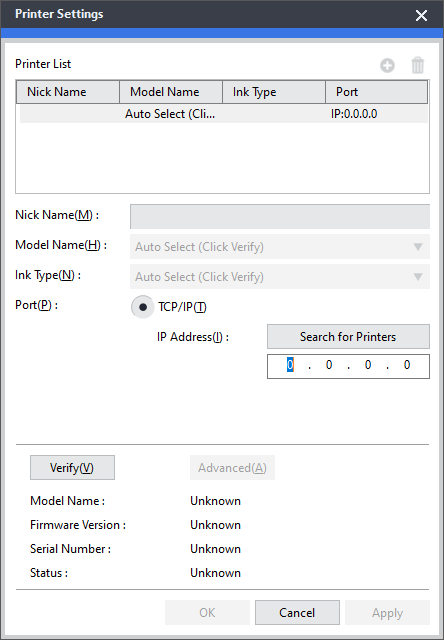
VersaWorks is an intuitive RIP program for Windows designed to help you accomplish printing tasks. It is necessary to note that the software distribution is compatible only with the Roland DG series of devices.
Brief review
The application comes equipped with a simple and clean graphical interface, and features straightforward drag-and-drop functionality. Thus, you can preview jobs in either Origin or User mode for the most comfortable workflow. You also have the ability to get the latest upgrades thanks to automatic updates. If you want to learn more about available features, you may view a comprehensive online manual.
Advanced capabilities
When it comes to printing actions, you are able to save and store settings to automate production cycles. It is possible to configure and name queues for multiple uses and simplify the process for your colleagues. Another advantage of using this tool is the possibility to run and synchronize up to four Roland DG devices from the same platform. If you need to control a Summa cutter, you may use another program called Summa WinPlot.
Color matching
The utility allows you to give your customers exactly what they want with high-quality color matching, built-in libraries and more. You can use Green and Orange inks as process materials for more vibrant expression. What is more, you have the option to set up special color layers directly in the RIP and configure their position and size.
Features
- free to download and use;
- compatible with modern Windows versions;
- allows you to set up various printing tasks;
- you can configure color layers in the RIP;
- it is possible to sync up to four machines.
3,2 Gb (downloads: 659)
Comments


muy bueno me gustaria probarlo
muy bueno
descarga
roland cut