
With the help of this program you can write text articles about various topics. There is a large thesaurus with thousands of synonyms for quick word replacement.

Quick Article Pro
ver. 3.0
1,7 Mb (downloads: 1)
Update date:
27.04.2023
Developer:
Sebiz Infotech Ltd.
Windows version:
Windows XP, Windows Vista, Windows 7, Windows 8, Windows 8.1, Windows 10, Windows 11
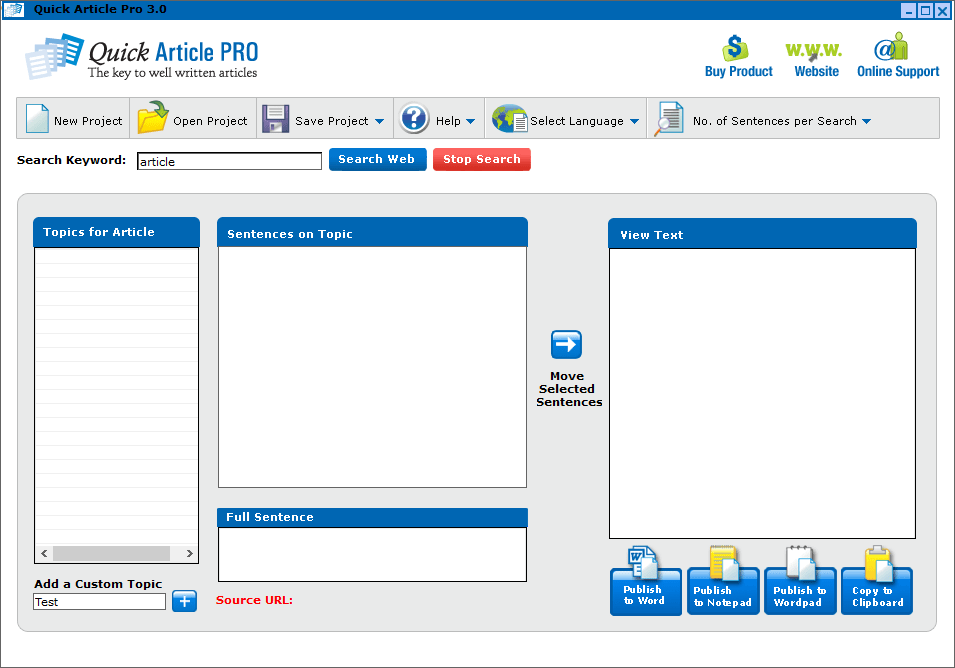

Quick Article Pro is a Windows application that offers users instruments for creating articles. It is possible to export the results to Microsoft Word, or Notepad as well as copy the text to the system clipboard. Please note that the free trial version of Quick Article Pro has very limited functionality.
How it works
The utility allows you to replace individual words with synonyms and automatically rewrite sentences. This functionality is helpful for generating multiple unique versions of the same article. There is support for several languages, including English, Spanish, German, French, Italian, Portuguese, Dutch, Indonesian, Finnish and Norwegian.
After starting the software users can add new text files by dragging and dropping them into the main window. It is possible to create custom topics and assign them to articles for easier navigation. There is a spell checking module for detecting and fixing grammar errors.
Export options
Resulting articles can be saved in several common formats such as HTML, PDF, DOC, TXT and RTF. Buttons for quickly exporting the text to various word processors for further editing are included as well.
Features
- free to download and use;
- provides instruments for generating several unique copies of the same text article;
- you can replace words and phrases with synonyms from the included thesaurus;
- compatible with all modern versions of Windows;
- it is possible to export the results to Microsoft Word or Notepad.
1,7 Mb (downloads: 1)


