
This application is a virtual VST plug-in. With its help you can conveniently make classical music. The variety of melodies ranges from vintage to modern.

Organux VSTi
ver. 1.1
6,6 Mb (downloads: 27)
Update date:
22.05.2022
Developer:
Syntheway Virtual Musical Instruments
Windows version:
Windows 7, Windows 8, Windows 10, Windows 11
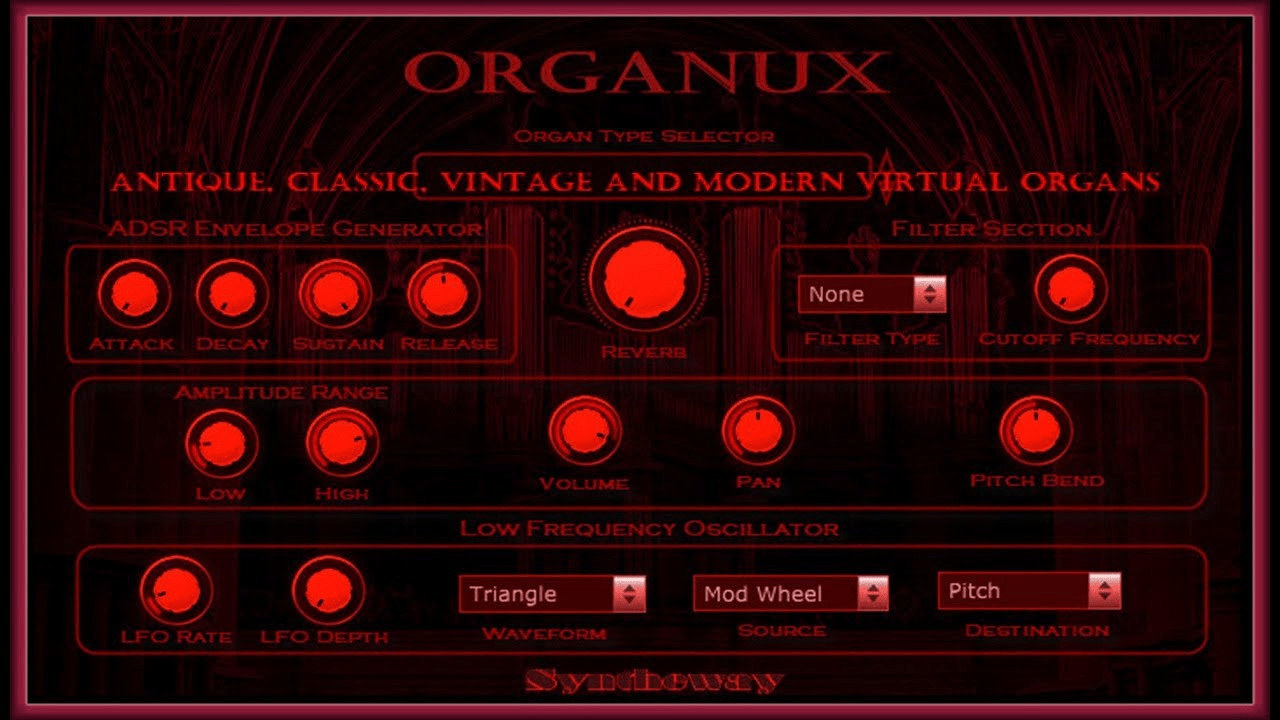
Organux VSTi is an application for Windows, which is a virtual VST component. It contains more than 20 types of organ sounds.
Install
In order for the program to function, you need to install the VST plug-in on your computer first. Then you will have to unpack the archive containing the Organux.dll library file into the folder accessed by the host. Without the above steps, the software will not launch.
Interface and functions
You can use the program interface to add various effects, such as tremolo. This is achieved with the help of a low frequency oscillator. In addition, it gives you an option to adjust the modulation depth, for example. The software also allows you to customize most of the parameters using sliders and switches. It is possible to control the distribution of the sound to the speakers.
At the same time, utility grants you the choice of multiple filters. As an input device, the program offers an on-screen MIDI bank which is played with your mouse or computer keyboard. You can either set the parameters yourself or select one of the preset plug-in types like in TRAKTOR DJ MIXER. In this case, the values of the indicators will be calculated automatically by the program.
Features
- there are built-in reverb and delay effects;
- more than 20 preset filters are available;
- the tool allows you to combine sampling and synthesis techniques;
- there is a possibility to choose between 1 to 16 midi channels;
- free to download and use;
- compatible with modern versions of Windows.
6,6 Mb (downloads: 27)


