
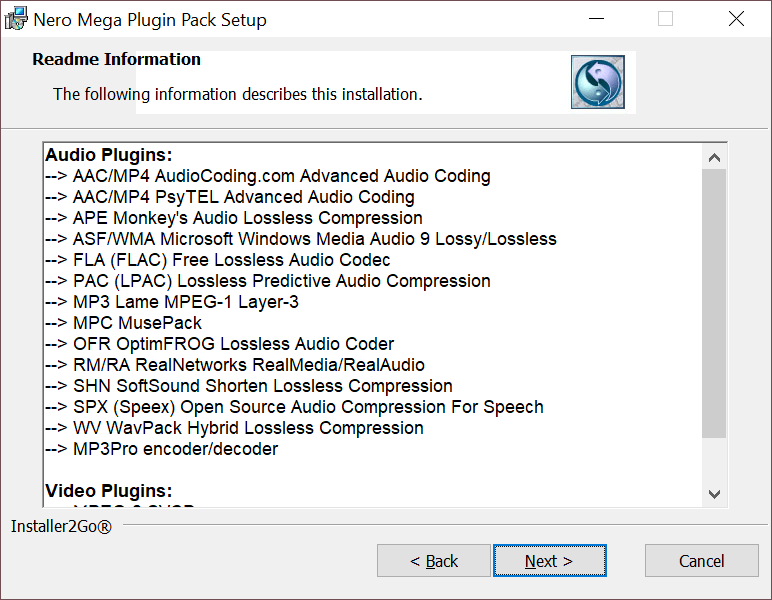
Thanks to this software package, users are able to install a wide range of media codecs for Nero players. It is possible to see the complete list of all components.

Nero Mega Plugin Pack
ver. 1.0
8 Mb (downloads: 304)
Update date:
30.07.2022
Developer:
EvilDead500 & MaCiO
Windows version:
Windows XP, Windows Vista, Windows 7, Windows 8, Windows 8.1, Windows 10
Nero Mega Plugin Pack is a Windows program that allows you to solve issues caused by media formats incompatibility with players. This codec pack can be used for video and audio playback as well as in the process of burning content to compact discs.
Contents
This application gives you the ability to use Nero multimedia players and recording utilities as encoders for audio and video files. This full list includes a variety of formats including:
- FLAC;
- WavPack;
- MP3Pro;
- ASF/WMA;
- PAC (LPAC);
- APE;
- MP3 and others.
Simple setup
Before deployment, it is recommended you do not have any other installation processes running in the background, as the program will refuse to continue. It is also worth noting that there is no executable and nor graphical user interface you can access. The application simply provides the respective codecs and extensions for installed Nero products.
Advantages
This compact installer spares you the need to browse the Internet, looking for all the codecs required for properly managing audio and video files. With this lightweight utility, you are able to install all the necessary components handling various media formats inside Nero’s older multimedia players.
Features
- free to download and use;
- compatible with modern Windows versions;
- gives you the ability to deploy various media codecs;
- lacks a graphical user interface;
- fixes various media playback issues.
- quick and easy installation process.
8 Mb (downloads: 304)


