
This compact application allows users to restore corrupted audio files. Additionally, they have the option to process multiple items at the same time.

MP3 Repair Tool
ver. 1.5
1,4 Mb (downloads: 467)
Update date:
27.07.2022
Developer:
Aspect one
Windows version:
Windows XP, Windows Vista, Windows 7, Windows 8, Windows 8.1, Windows 10
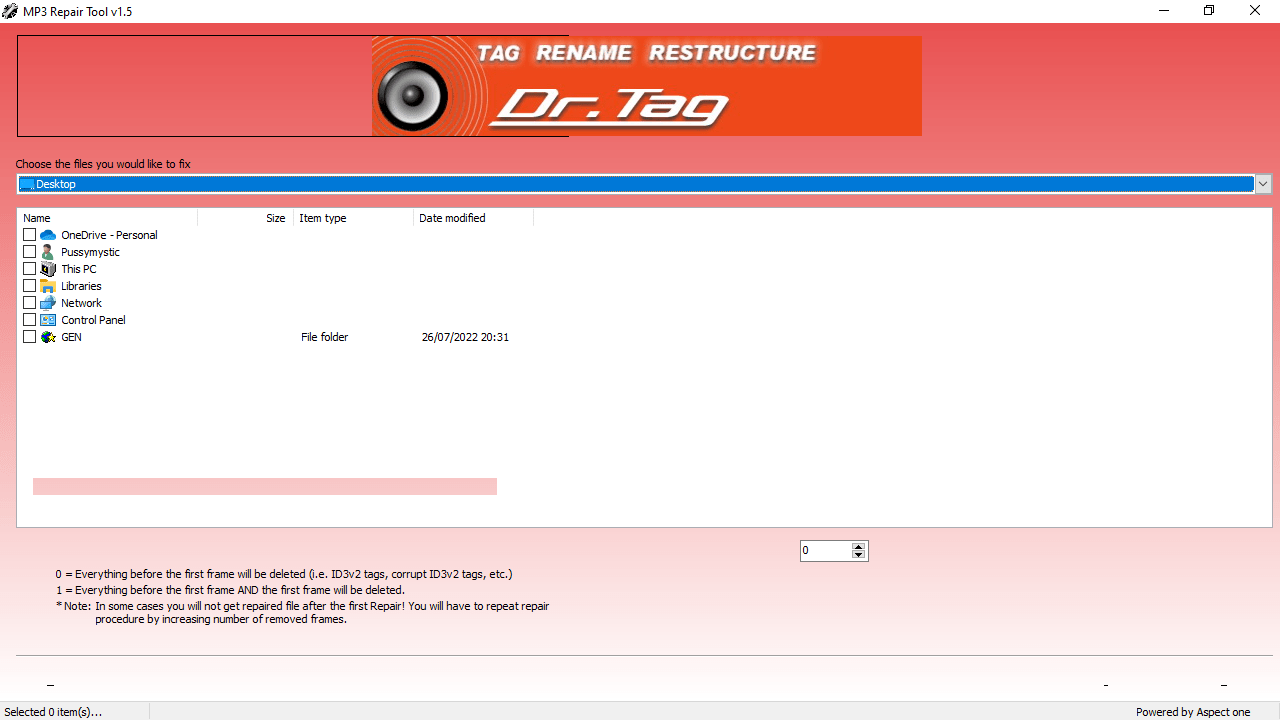
MP3 Repair Tool is a straightforward Windows program that enables users to repair damaged MP3 files. It is especially developed for beginners because it sports a very basic GUI and also due to the limited number of features.
Functionality and interface
The application removes a user-defined number of frames either from the beginning or from the end of a corrupted MP3 file to restore playback capabilities. That is why the interface remains simple with all available options grouped in a single workspace. In contrast to MP3 Cutter Plus, this utility supports batch processing, which means that you can add as many corrupted files as you want and fix them simultaneously.
Operation
To repair a song, you need to select the corresponding MP3 files and choose one of the two options: remove frames from the beginning or from the end. The progress speed depends on the number of imported items. The software is capable of processing multiple audio files at the same time, as long as they are placed in the same folder.
Summary
All things considered, MP3 Repair Tool is a useful program with limited functionality. Its main goal is to remove frames from the beginning or from the end of a song. This means a heavily damaged MP3 file is almost impossible to recover.
Features
- free to download and use;
- compatible with modern Windows versions;
- gives you the ability to repair corrupted MP3 files;
- supports batch processing;
- simple and intuitive graphical user interface.
1,4 Mb (downloads: 467)


