
This program allows users to create a slideshow with a title page and music from any images. It is helpful for archiving the photo collection as well.

Memories Disc Creator
ver. 1.0.6.807
54,1 Mb (downloads: 13)
Update date:
08.09.2022
Developer:
Hewlett-Packard
Windows version:
Windows XP, Windows Vista, Windows 7, Windows 8, Windows 8.1, Windows 10
Memories Disc Creator is a Windows utility for constructing slideshows and burning them to an optical disc for watching on a TV. A soundtrack can be added.
Adding pictures
This software comes in the form of a simple wizard tool. After running the executable file users can view the welcome screen with a brief description of all available features.
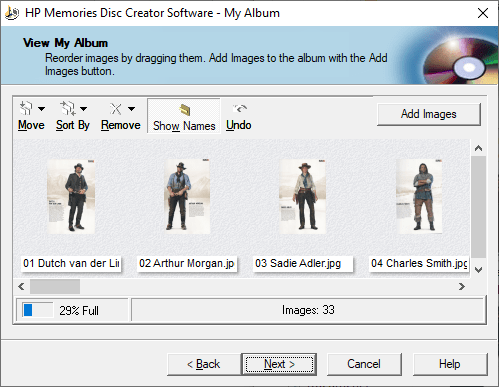
You are able to click the Next button to begin creating a slideshow. The first step is to add photos to the project. There is support for the JPG, PNG, TIFF, BMP and several other popular image file formats.
It is possible to rotate the pictures in any direction. To edit them further users can download Ulead Photo Express.
The indicator at the bottom of the main window shows how many more photos can be added before the disc is full. You are able to rearrange the pictures by dragging and dropping them in the queue.
Slideshow options
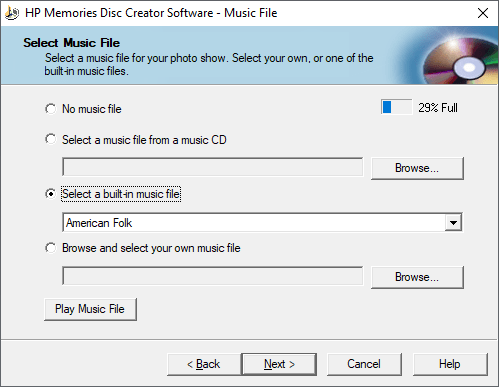
On the next page users can specify the project title. There are three text lines for the name. Adding a soundtrack to the slideshow is easy. Provided options include American Folk, Classic Rock and Swing. Alternatively, it is possible to attach any audio file in the WAV or MP3 format.
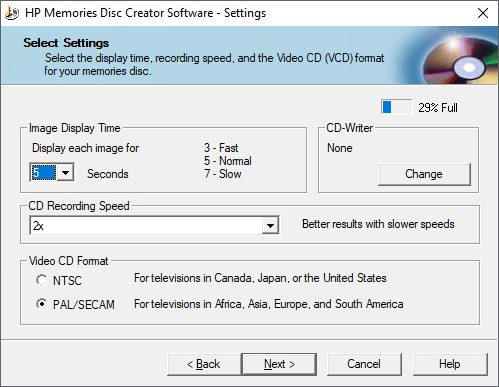
The app allows you to choose how long every photo will be displayed. CD recording speed can be adjusted as well. Two TV video formats are available: NTSC and PAL/SECAM.
After reviewing the project on the final page users can click the Make Disc button to create a slideshow.
Features
- offers you a simple way to create a slideshow;
- free to download and use;
- there is support for several image file formats;
- adding a soundtrack is possible;
- compatible with all modern versions of Windows.
54,1 Mb (downloads: 13)


