
This tool was designed to help users customize photos with various distortion effects. Moreover, they have the option to adjust the size and strength of the brush.

Magix FunPix Maker
ver. 1.0
25,8 Mb (downloads: 18)
Update date:
04.09.2022
Developer:
MAGIX AG
Windows version:
Windows XP, Windows Vista, Windows 7, Windows 8, Windows 10

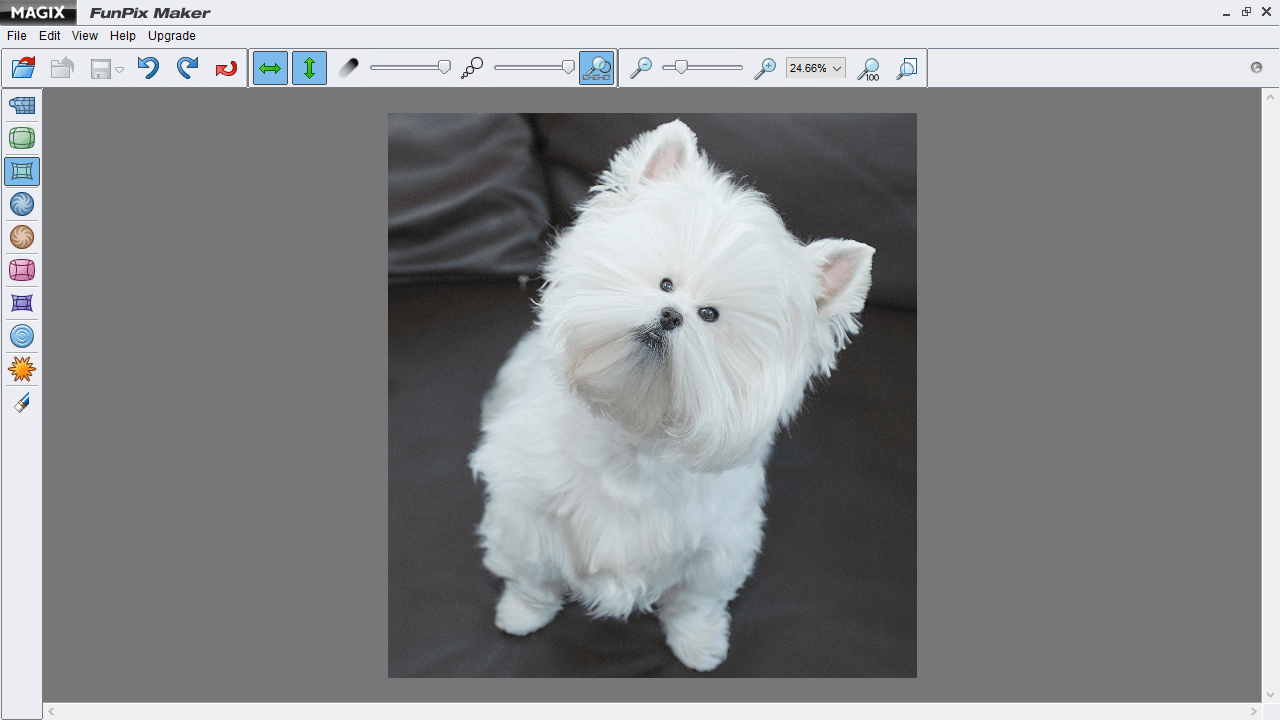
Magix FunPix Maker is a graphics editing program for Windows that allows you to create caricatures or artistic impressions by applying several modifications to your images.
Layout and supported file formats
After launch, you are greeted with a clean graphical user interface that provides quick access buttons for the different distortion tools. They are placed on the left side of the panel. In order to activate a specific parameter, all you need to do is click on it and apply the effects on the selected area from the workspace.
The software also comes with a help manual that comprises extra information about each feature. It is necessary to note that the utility works with a wide range of file formats. The list includes the following:
- BMP;
- ICO;
- GIF;
- PCD;
- PSD;
- TIFF;
- PNG and others.
Distortion tools
In contrast to Cartoonist, this application provides support for a considerable amount of deformation parameters, such as draw, grow, shrink and rotate, as well as dent, bump, wave and explode. You can also use an eraser to delete effects from your images, adjust the strength and size of the brush.
What is more, you are able to undo and redo your actions, zoom in or out, switch to a full-screen display and use hotkeys for a better control over the entire process. It is also possible to retrieve all editing operations with a single click.
Features
- free to download and use;
- compatible with modern Windows versions;
- gives you the ability to modify pictures;
- provides different image-manipulation tools;
- supports a wide range of file formats.
25,8 Mb (downloads: 18)


