
This command line utility lets you transfer data from the hard drive to the internal flash memory of various Nokia phones and tablets running Maemo OS.

Maemo Flasher
ver. 3.5
3,5 Mb (downloads: 67)
Update date:
16.11.2022
Developer:
Nokia Corporation
Windows version:
Windows XP, Windows Vista, Windows 7, Windows 8, Windows 8.1, Windows 10
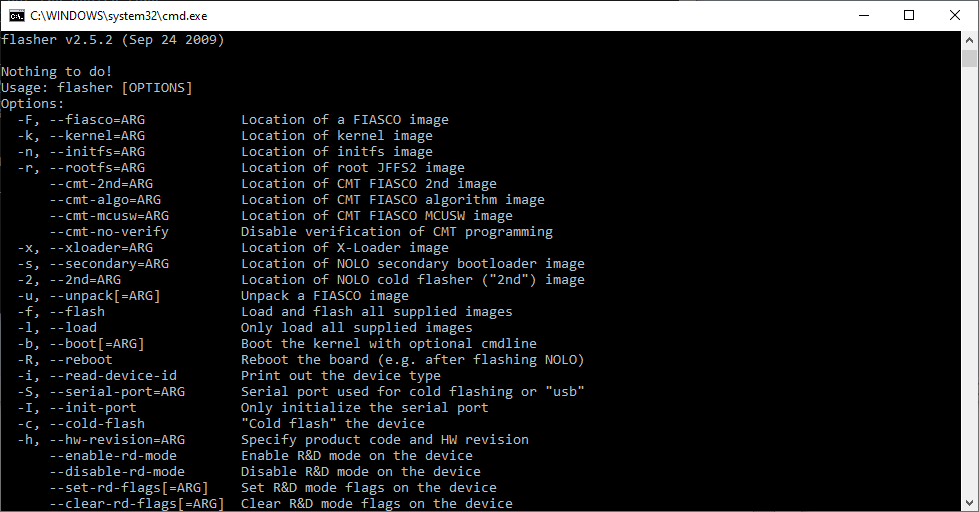
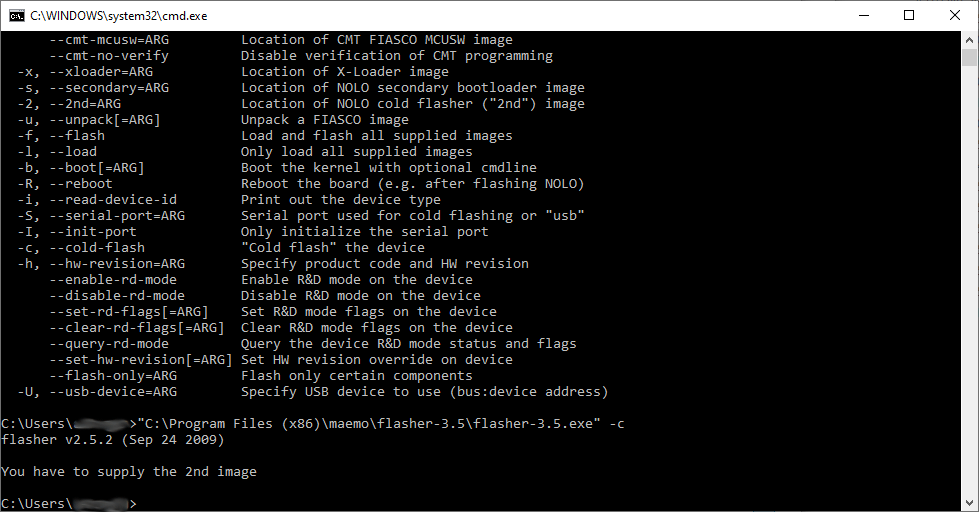
Maemo Flasher is a Windows application for interacting with Nokia devices. There is support for multiple smartphone models. Users can upgrade the firmware, wipe all data from the internal memory and install new versions of certain system components.
How it works
After installing the software you can access it from the command line. All available operators and parameters are listed in the included help file. There are options for locating different system components such as the kernel image, NOLO secondary bootloader, FIASCO algorithm and other elements. Additionally, you are able to reboot the board, print out the device type, initialize the serial port for cold flashing and perform other operations.
Please note that Maemo Flasher does not contain instruments for synchronizing personal data from the mobile device with the desktop. There are other programs for this purpose like Nokia PC Suite.
Advanced parameters
It is possible to change the product code and hardware revision. Users can activate the developer mode for accessing and editing certain critical system components. It is important to note that this functionality is oriented toward experienced users. Modifying these elements can lead to serious hardware issues.
Features
- free to download and use;
- provides tools for interacting with internal memory of various Nokia mobile devices;
- you can change the product code and hardware revision;
- it is possible to upload a new kernel image;
- compatible with all modern versions of Windows.
3,5 Mb (downloads: 67)


