
This application offers users a wide variety of online radio stations and TV channels. It is based on the Microsoft Research peer-to-peer streaming technology.

Livestation
ver. 3.3.0
39,7 Mb (downloads: 9)
Update date:
13.11.2022
Developer:
LiveStation Ltd.
Windows version:
Windows 7, Windows 8, Windows 8.1, Windows 10
Livestation is a Windows utility for accessing a catalog of internet radio broadcasts and TV channels. There are both free and premium stations. Mobile apps for the iOS and Android operating systems are available.
Brief overview
Similar to Live TV Player, this program lets you watch multiple online TV channels such as BBC, CNN, NASA TV, Reuters and many other informational, educational and commercial stations. Creating an account is necessary to access the player.
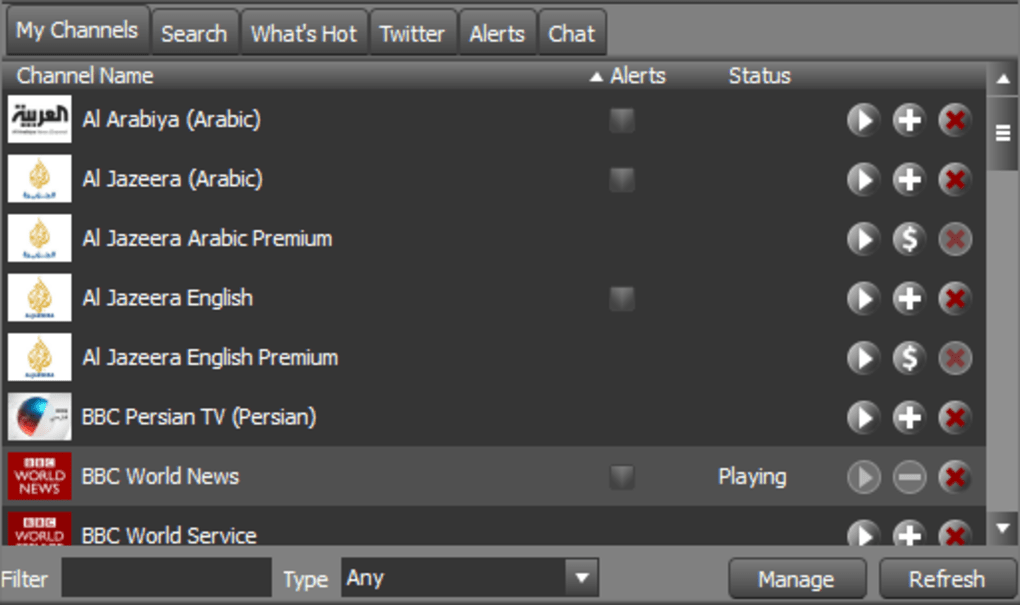
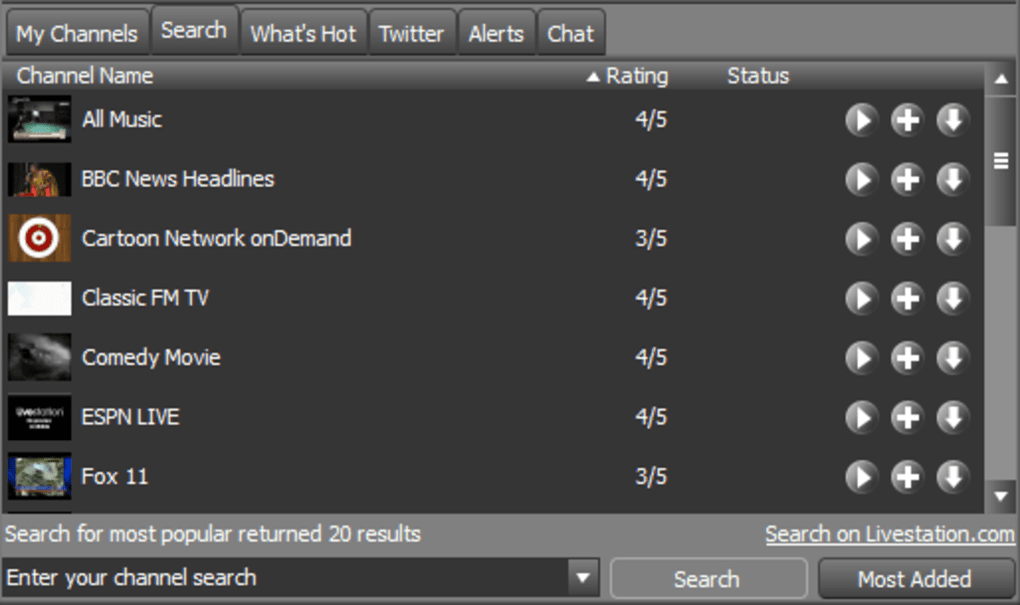
After logging in users can browse all available channels, search for specific content or view popular broadcasts. It is possible to mark any station as a favorite for quick access in the future. There is an included chat for communicating with other people.
Settings
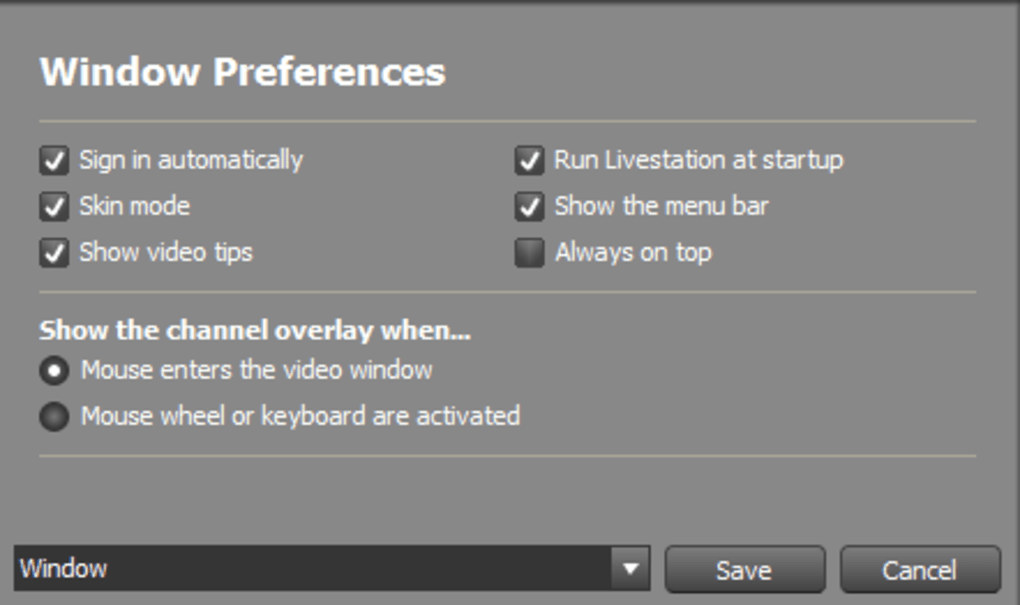
Video settings for enabling antialiasing and hardware color conversion are available. The default audio source can be changed as well. There is an option to run the app automatically on Windows startup. Checkboxes for showing the menu bar and video tips are provided.
Proxy server parameters are adjustable. Users can specify the protocol, host name and password for connecting to the remote server.
Please note that Livestation is discontinued and no longer supported by the developers. It is impossible to register on the official website or access any broadcasts.
Features
- free to download and use;
- allows you to watch online TV broadcasts;
- there are video settings for adjusting the picture quality;
- it is possible to configure proxy server parameters;
- compatible with modern versions of Windows.
39,7 Mb (downloads: 9)


