
Using this utility you can automatically improve picture quality and widen dynamic range in photos taken with various models of Sony digital mirrorless cameras.

EOSHD Pro Color
ver. 3.0
(downloads: 28)
Update date:
19.04.2023
Developer:
Andrew Reid
Windows version:
Windows XP, Windows Vista, Windows 7, Windows 8, Windows 8.1, Windows 10, Windows 11

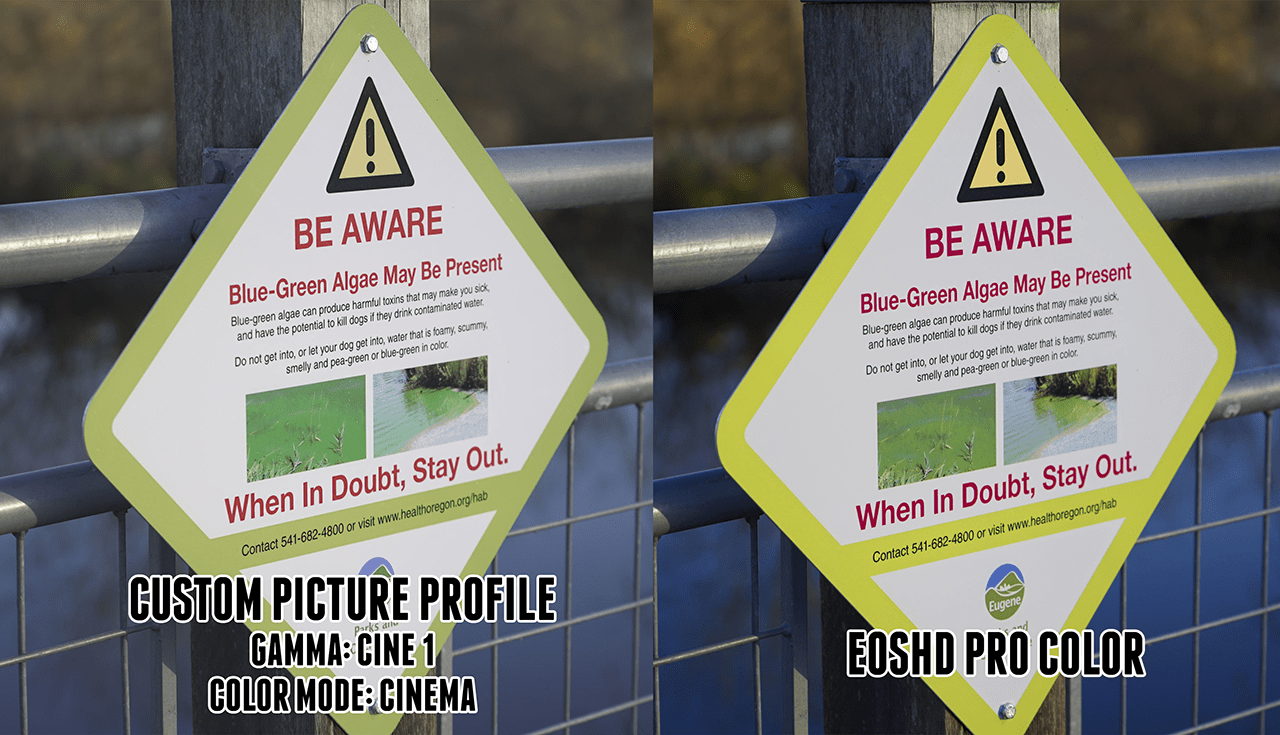

EOSHD Pro Color is a Windows software for processing images from Sony cameras. It contains a new flat film gamma profile for the LOG file format. Users can tune white balance and make skin tones more attractive. There is support for all models of Sony DSLR cameras. It is important to mention that EOSHD Pro Color is a paid program. No free trial version is available.
Color correction
The application fixes various technical issues with Sony EOS devices. It allows you to override the narrow Rec.709 color space included in the default profile by applying custom LUTs. This method is intended for preventing alpha channel clipping.
Additional tools
There are instruments for further improving the output image quality. Integrated cinematic profiles are helpful for filming all types of content. Everything is done on the camera itself without the need for post-processing in Photoshop or another graphics editor.
Users can make skin tones warmer and flatter to avoid the unnatural look. A profile with deeper reds and oranges for capturing street lights, burning fire and other complex scenes is provided. Moreover, it is possible to enhance blue tones to film dramatic sky images without the 8 bit banding.
Features
- requires a commercial license to download and use;
- lets you adjust various picture parameters while taking photos with Sony cameras;
- there is a wide variety of custom color profiles for different situations;
- supports all DSLR cameras made by Sony;
- compatible with all modern versions of Windows.
(downloads: 28)


