
This application is intended for creating embroidery patterns. There is support for a wide range of automated sewing machines from various manufacturers.

Digitizer MBX
ver. 5.0
2,1 Gb (downloads: 447)
Update date:
22.11.2022
Developer:
Janome America, Inc.
Windows version:
Windows 7, Windows 8, Windows 8.1, Windows 10


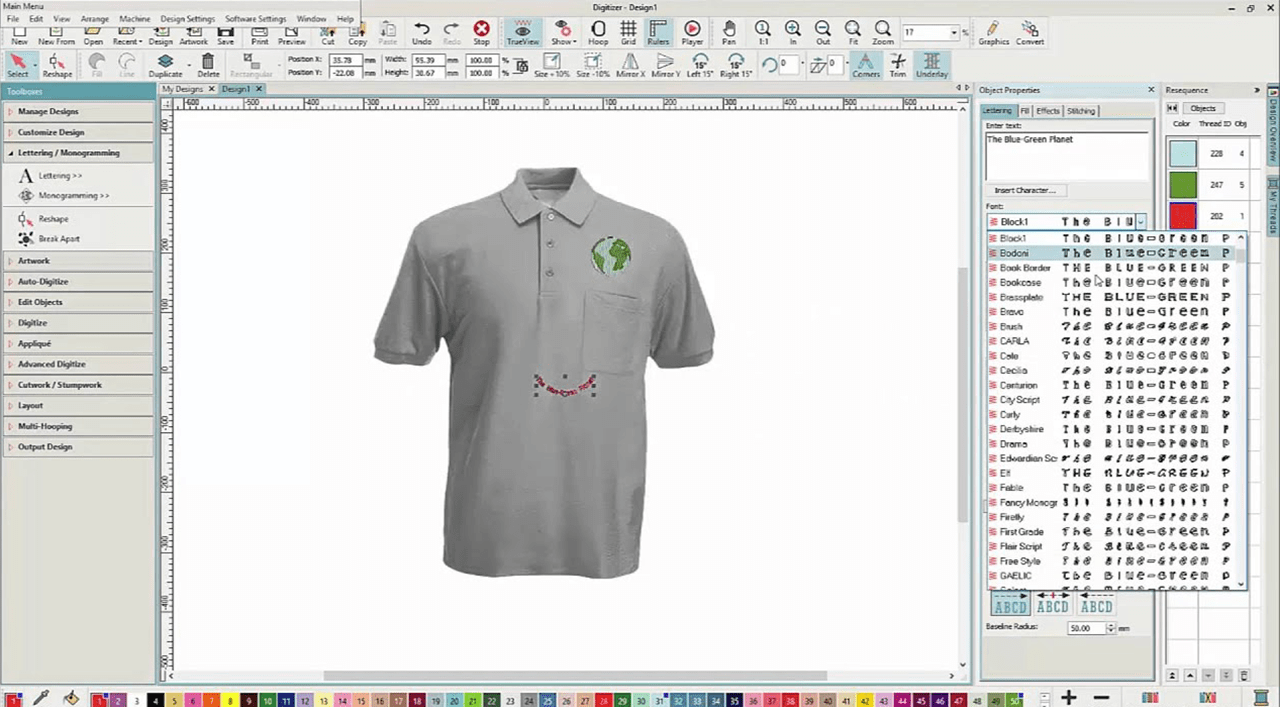
Digitizer MBX is a Windows program that allows users to design and modify embroidery layouts. It is possible to import images and convert them to stitching patterns. Users can insert letters into the project. There are flexible text formatting options for changing the style, size and color of the font.
Embroidery patterns
This software contains instruments for creating stitching layouts that can be sent to the embroidery machine. You are able to start a new pattern from scratch or import a source picture. There is support for the BMP, PNG, JPG and other common file formats.
Users can automatically remove the background from the original image. Alternatively, it is possible to trace the outline manually for more granular control. There is an option to display needle points, connectors and stitches. This functionality is helpful for planning the sewing process.
Conversion parameters
Like in WILCOM EmbroideryStudio, imported pictures can be automatically digitized and prepared for the stitching. You are able to adjust the colors, thread types and filling options. Moreover, the outlines and borders are customizable. You can select the stitching method as well.
It is worth noting that Digitized MBX is a paid software. There is no free trial version.
Features
- offers you tools for creating embroidery patterns;
- free to download;
- users can automatically convert pictures to stitching designs;
- there is support for various image file formats;
- compatible with modern versions of Windows.
2,1 Gb (downloads: 447)
Comments


y cual es el serial…?