
The software solution is intended to assist you in configuring your BlackBerry mobile device. Moreover, you can install and manage multiple operating systems.

BBSAK
ver. 1.9.2
1,3 Mb (downloads: 23)
Update date:
01.02.2023
Developer:
JMTLabs
Windows version:
Windows XP, Windows Vista, Windows 7, Windows 8, Windows 10, Windows 11
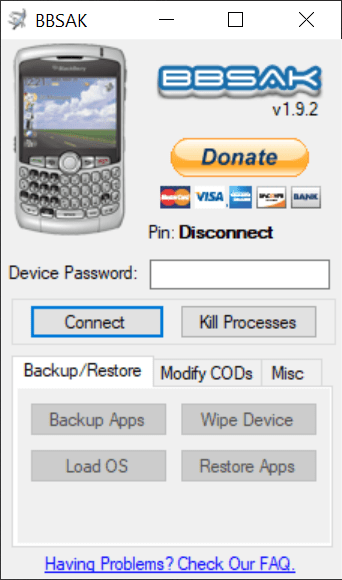
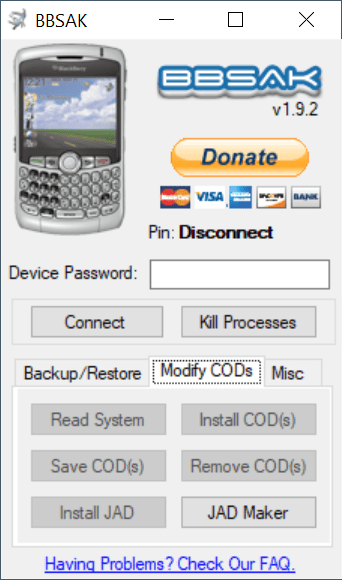
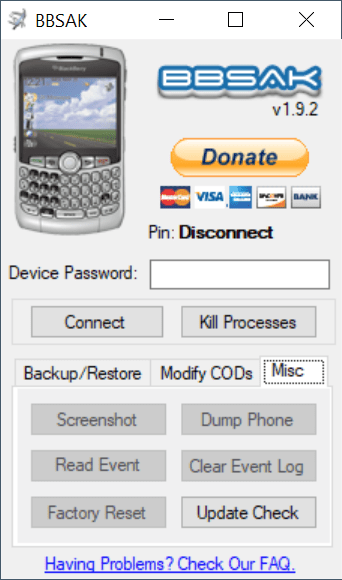
BBSAK is a convenient program package for Windows designed to help users backup applications and perform various maintenance operations on their smartphone. Just as the name suggests, the utility is aimed at BlackBerry owners.
Overview
First of all, the BBSAK detects the compatible devices and enables you to enter the required password. Due to the fact that the tool cannot access the mobile phone at the same time as the BlackBerry Desktop Software, you need to close it manually or by pushing the Kill Processes button.
The most interesting features of the program like the backup and restore instruments are available in the main window. These give you the ability to create copies of certain applications, even the ones installed from other sources rather than the App World store.
Change your OS
It is worth noting that you can use BBSAK to load a new operating system on your mobile device and to manage multiple OSs on your personal computer. Instead of removing the old version, installing the new one and updating the firmware on your smartphone, you are able to simply select the OS that you would like to use. This function may be utilized both for upgrading and downgrading the device.
Features
- free to download and use;
- compatible with modern Windows versions;
- enables you to backup data stored on BlackBerry devices;
- you can install and manage multiple operating systems;
- it is possible to repair a wide range of technical issues.
1,3 Mb (downloads: 23)


