
BatteryMark

BatteryMark

5/5
ver. 2.0.3
1,0 Mb (downloads: 82)

This small application allows users to evaluate laptop batteries. It is possible to measure the overall capacity and calculate estimated service life.

Download
Update date:
22.11.2022
Developer:
Dmitriy Petrov
Windows version:
Windows XP, Windows Vista, Windows 7, Windows 8, Windows 8.1, Windows 10
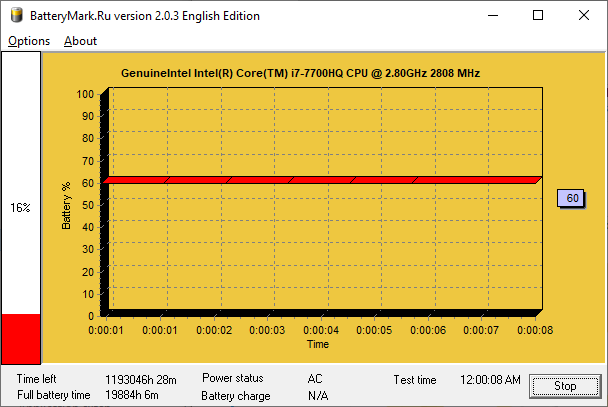
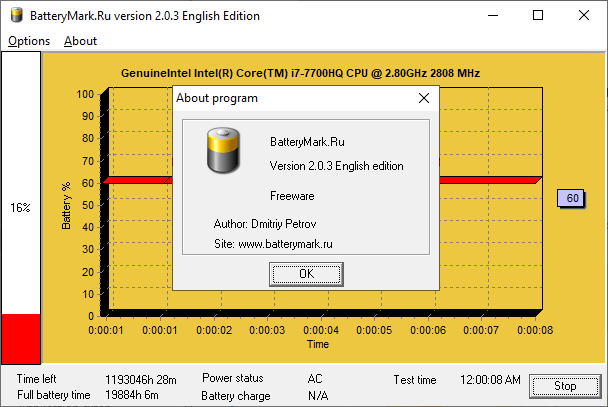
BatteryMark is a Windows utility for diagnosing laptop accumulators. Similar to Samsung Battery Manager, there are instruments for estimating remaining charge levels. Standard and fast calculation methods are available. The main interface is simple and straightforward. This tool does not require installation.

Calculation process

After running the included executable file you can choose the estimation method. In fast mode the software initiates pi number calculations for applying maximum load to the processor. It measures the amount of time required to lower the battery level by 1 percent. Depending on processed data you are able to estimate how long the laptop will work on the remaining charge.

In standard mode users can monitor the battery without creating artificial loads. This option requires more time to evaluate the accumulator condition. Results depend on usage intensity during the testing.

Discharge graph

You are able to visually display battery information. The amount of remaining charge is shown as a percentage. This functionality is helpful for evaluating current accumulator condition and charge levels.

Features

  • free to download and use;
  • allows you to estimate the amount of remaining charge in a laptop accumulator;
  • there is a fast mode for calculating battery levels;
  • it is possible to display the discharge graph;
  • does not require installation;
  • compatible with all modern versions of Windows.
Download
1,0 Mb (downloads: 82)
Add comment
5/5
Similar programs
Drobo Drobo
Windows XP Free
0/5

Thanks to this software solution, users can configure Drobo products. Additionally, it is possible to view information about hardware characteristics.

ver 3.5.0
AirServer AirServer
Windows 7 Free
0/5

The application was designed to help you display content from your Apple devices on your PC. Moreover, you can link additional displays, projectors, and speakers.

ver 5.6.3.0
CHAOS Shredder CHAOS Shredder
Windows XP Free
0/5

The application provides simple means to securely erase items from the computer. Additionally, it is possible to specify the number of cleaning passes.

ver 3.2
ByteDos ByteDos
Windows XP Free
0/5

With the help of this compact utility, you can carry out DoS attacks against network domains. You also have the option to choose between two different methods.

ver 3.2
HDX Monitor HDX Monitor
Windows 7 Free
0/5

Using this convenient application, you can assess the performance of virtual desktop software. There is also an option to view detailed system information.

ver 3.5.2
KX TDA Maintenance Console KX TDA Maintenance Console
Windows XP Free
0/5

Thanks to this comprehensive tool, you can remotely configure specific phone devices. Moreover, there is an option to update firmware and monitor status.

ver 3.2
TOSHIBA PC Diagnostic Tool TOSHIBA PC Diagnostic Tool
Windows XP Free
0/5

Using this utility you can view the basic information about a desktop or laptop computer and diagnose various issues with internal hardware components.

ver 9.0.4
Magic Recovery Professional Magic Recovery Professional
Windows XP Free
0/5

The comprehensive tool gives users the means to restore deleted items on their computer. It is also possible to see technical characteristics of the system.

ver 3.5