
Using this software, you can recover items deleted from your computer. Moreover, you are able to restore streams, as well as compressed and encrypted files.

Avira UnErase
ver. 1.4
0,4 Mb (downloads: 7)
Update date:
19.06.2022
Developer:
Avira GmbH
Windows version:
Windows XP, Windows Vista, Windows 7, Windows 8, Windows 10
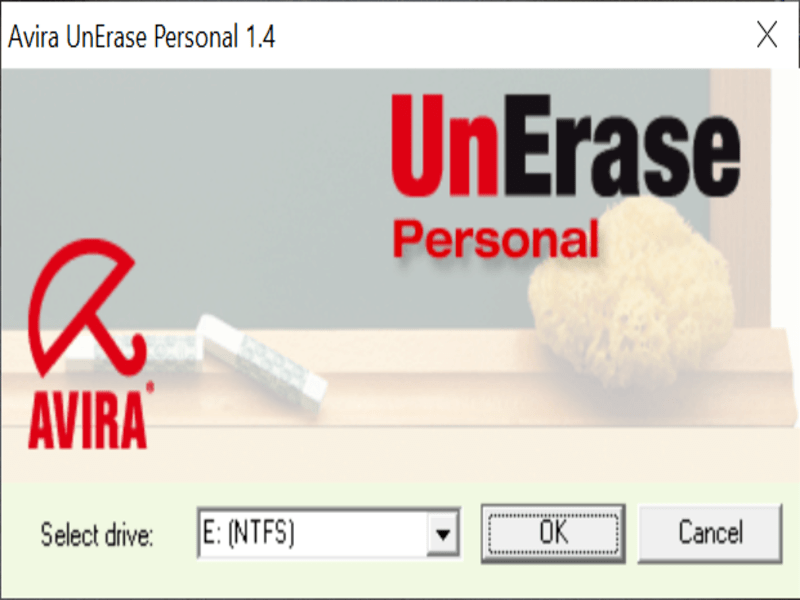
Avira UnErase is a small Windows program that allows you to restore files which were removed from the Recycle Bin or directly deleted. You are able to recover files deleted by viruses, uninstallers, DOS applications.
General notes
When you delete a file, you do not delete the sectors on the hard disk, but the entry in a list of contents and mark those sectors as available for write operations. This utility takes advantage of that process and allows you to restore a file as long as these sectors were not overwritten.
The program supports file systems such as FAT16, FAT32, NTFS4, NTFS5. Moreover it can recover streams, compressed and encrypted files, as well as multiple items with the same name.
Operation
After you launch the tool, a window will appear where you can choose the drive from where you want to perform file recovery. Then you need to click the OK button to confirm your selection. The application will begin to scan the hard drive for all deleted files.
When the search finishes, you are able to view a list of all the items the utility is capable of recovering. Similar to SoftPerfect File Recovery, you have the option to view detailed information on the discovered files like the size, estimated status and last access time.
Once you have located the file, you can click the Unerase button to recover it. A small window will appear that enables you to select the place where you want to deposit the retrieved item.
Features
- free to download and use;
- supports a wide range of file systems;
- gives you the ability to retrieve lost or deleted items;
- compatible with modern Windows versions;
- can recover compressed and encrypted files.
0,4 Mb (downloads: 7)


