
With the help of this small app users can convert video recorded in .264 format to the AVI files that are supported by most hardware and software players.

AVIGenerator
ver. 2.0.0.7
9,9 Mb (downloads: 34)
Update date:
08.08.2022
Developer:
Defender-USA
Windows version:
Windows XP, Windows Vista, Windows 7, Windows 8, Windows 8.1, Windows 10
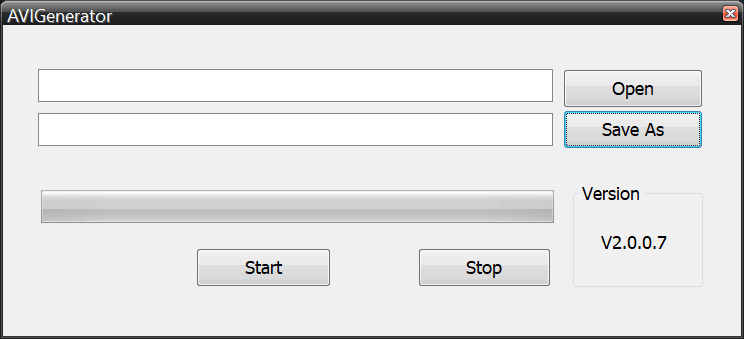
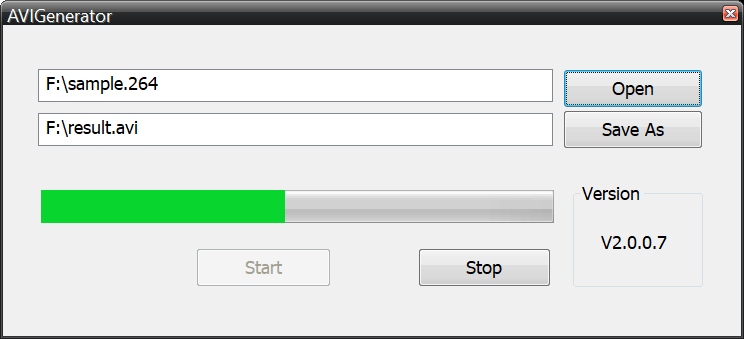
AVIGenerator is a Windows utility for turning video recordings made in a specialized .264 format into the standard AVI files. There is a progress bar to track the conversion.
Setting up
The software comes in the form of a ZIP archive. Users can extract it to any folder on the PC and run the executable file to start the installation process. After choosing the destination directory for the app it is necessary to click the Install button to finish setting up the tool.
What are .264 files
This is a special format normally used for data from security IP-cameras or DVR devices. Additionally, legal professionals utilize this kind of files for cases where video evidence is necessary. AVIGenerator lets users easily work with these items by turning them into an editable AVI format.
It is worth noting that this program only supports .264 files. To convert MOV video, you can utilize the app called Pazera Free MOV to AVI Converter.
How it works
The interface is simple. There are buttons for opening the source file and for setting up the destination directory. Controls for starting and stopping the conversion process are located at the bottom of the main program window. Additionally, the progress bar for tracking the overall process and estimating the remaining time is included.
Features
free to use and download;
lets users convert .264 video;
the results are saved in the AVI format;
easy and straightforward interface;
compatible with all modern versions of Windows.
9,9 Mb (downloads: 34)


