
Applian FLV Player

Applian FLV Player

4/5
ver. 3.0
1,9 Mb (downloads: 13)

Thanks to this lightweight application, users are able to watch Flash videos on their computer. It is also possible to switch between various viewing modes.

Download
Update date:
21.10.2022
Developer:
Applian Technologies
Windows version:
Windows XP, Windows Vista, Windows 7, Windows 8
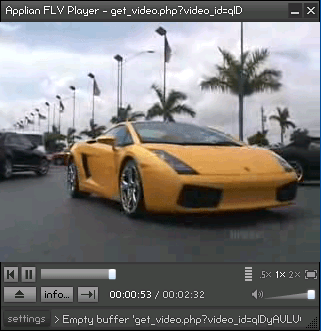
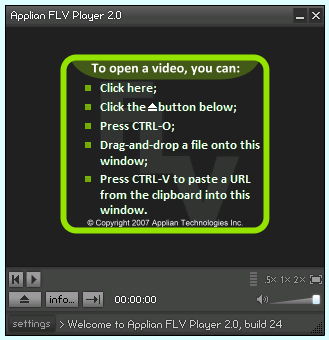
Applian FLV Player is a specialized program for Windows designed to play files with FLV extension. Please note, the developers have ceased support for the project. This means the installation package is no longer available. However, you may use Sothink FLV Player instead.

Compatibility and add-ons

The application is compatible with computers running on a variety of older Windows versions. During the installation, you are offered to deploy additional utilities such as Freecorder Toolbar, Replay Converter and Replay Media Catcher.

The first is mainly used for recording audio from any source in MP3 format. The second tool gives you the ability to convert Flash videos to thirty-six other formats. Finally, the last program allows you to capture and save streaming content.

Functionality

Thanks to this piece of software, you can play a wide range of videos in FLV format downloaded from the Internet. To open a file, you need to drag and drop the item into the main interface or paste the URL for the webpage where the clip is located.

When it comes to playback and controls, you are able to watch the video at half its size, full-screen or twice its size. It is also possible to adjust the volume and shutdown the media player. There are no more functions.

Features

  • free to download and use;
  • compatible with modern Windows versions;
  • gives you the ability to play videos in FLV format;
  • you can configure the volume settings;
  • supports drag-and-drop method.
Download
1,9 Mb (downloads: 13)
Add comment
4/5
Similar programs
PsRockola PsRockola
Windows XP Free
0/5

With this piece of software, users can play songs and videos on their desktop PC. Additionally, it is possible to install additional appearance skins.

ver 5.0
PocketISO PocketISO
Windows XP Free
0/5

Using this robust tool, you can reduce the size of PSX game files. Moreover, you have the option to rip and replace videos, extract audio tracks to MP3 format, etc.

ver 3.2
FastPictureViewer Codec FastPictureViewer Codec
Windows XP Free
0/5

Using this program you can add support for a wide range of image formats such as PSD, TGA, DDS, HDR, RAW, JPEG 2000 and Maya IFF to the operating system.

ver 3.2
Push Video Push Video
Windows 8 Free
0/5

Thanks to this application, users can set up videos as their desktop backgrounds. Additionally, there is support for downloading content from YouTube.

ver 5.1
Cineplayer DVD Decoder Cineplayer DVD Decoder
Windows XP Free
0/5

This software is intended for enhancing the functionality of Windows Media Player. It provides noticeably better DVD playback quality compared to other codecs.

ver 3.2
Batch Watermark Creator Batch Watermark Creator
Windows 7 Free
0/5

Using this lightweight tool, you can create custom watermarks for your photographs. Moreover, there is an option to rename the output files by defining rules.

ver 8.1
Digital Image Tool Digital Image Tool
Windows 7 Free
0/5

Thanks to this intuitive application, users can customize batches of images at once. It is also possible to select the preferred output file extension.

ver 4.2
Viz Artist Viz Artist
Windows 7 Free
0/5

The professional tool enables you to create a considerable number of visual graphics projects. Moreover, you can enhance its functionality with custom plugins.

ver 5.1